Table of Contents
- 1. Electricity management and RCP
Plan electricity management (RCP, RCPv and LEC)

- 1. Electricity management and RCP
This article describes the installation planning. For on-site implementation and equipment configuration on the Climkit platform, refer to the links at the end of the article.
1. Electricity management and RCP
The Climkit electricity management solution consists of providing meters to measure and read electricity consumption, transmit the data to the platform, and enable one of the available operating methods, such as generating individual statements or automatic consumer billing.
The solution is typically applied within the framework of a self-consumption grouping (RCP).
It also applies to the virtual RCP (RCPv): several buildings grouped into an RCP use the distribution grid free of charge to route photovoltaic electricity between them. The Distribution system operator (DSO) sums its meters to generate its invoice — hence the "virtual" attribute.
Since 2026, it is also possible to resell surplus photovoltaic energy to other consumers in the same municipality, as part of a local electricity community (LEC). See below.
It can also be used in other contexts, for example:
- In a commercial building to distinguish consumption across different floor areas
- In a campsite or marina to track consumption per pitch or berth
- In any situation requiring measuring, accounting for, and billing electricity consumption
Standard connection diagram of an RCP
There are several connection methods for electricity meters and communication depending on the number of consumers and buildings on a site.
The standard diagram consists of an RCP with:
- A single grid connection point with a Distribution system operator (DSO) input meter
- Multiple consumers (apartments, offices, common areas, etc.) connected to private meters
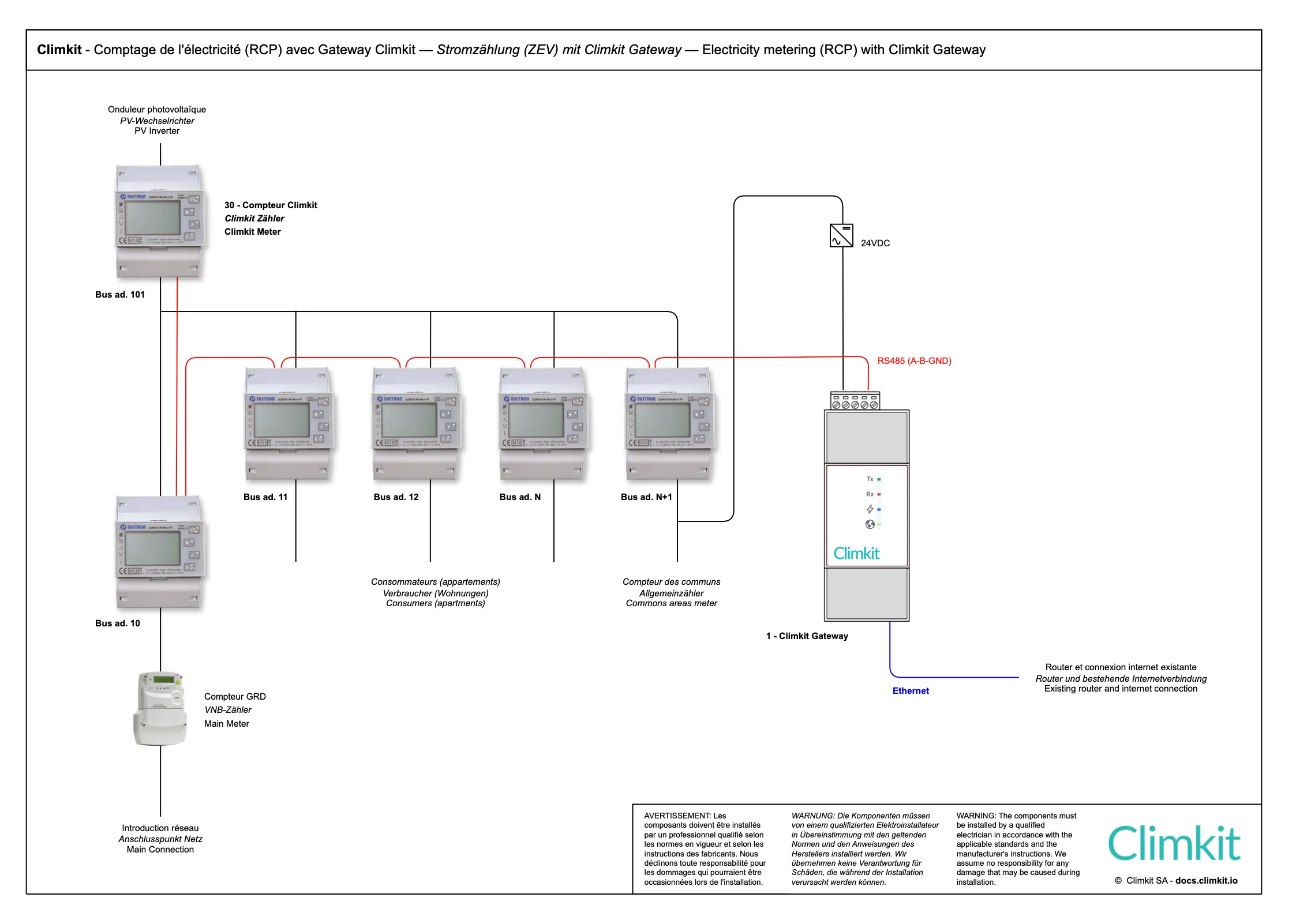
Electrical connection
The diagram above shows the case of an RCP with a single Distribution system operator (DSO) meter at the building's electrical service entry.
Consumers such as apartments and common areas are measured by private meters.
A private meter also measures the photovoltaic production (inverter output).
A private meter is also installed at the service entry in series with the Distribution system operator (DSO) meter.
The number of meters depends on what needs to be measured and billed separately. Here is a list of the most common meters to provide:
- Heat pump: to distinguish its consumption from the rest of the common areas
- Electric vehicle charging stations
- AC-coupled battery (since in DC coupling, behind a hybrid inverter, the battery is already measured by the PV meter).
- Photovoltaic inverters: one meter per installation allows measuring their performance separately and detecting potential issues more easily.
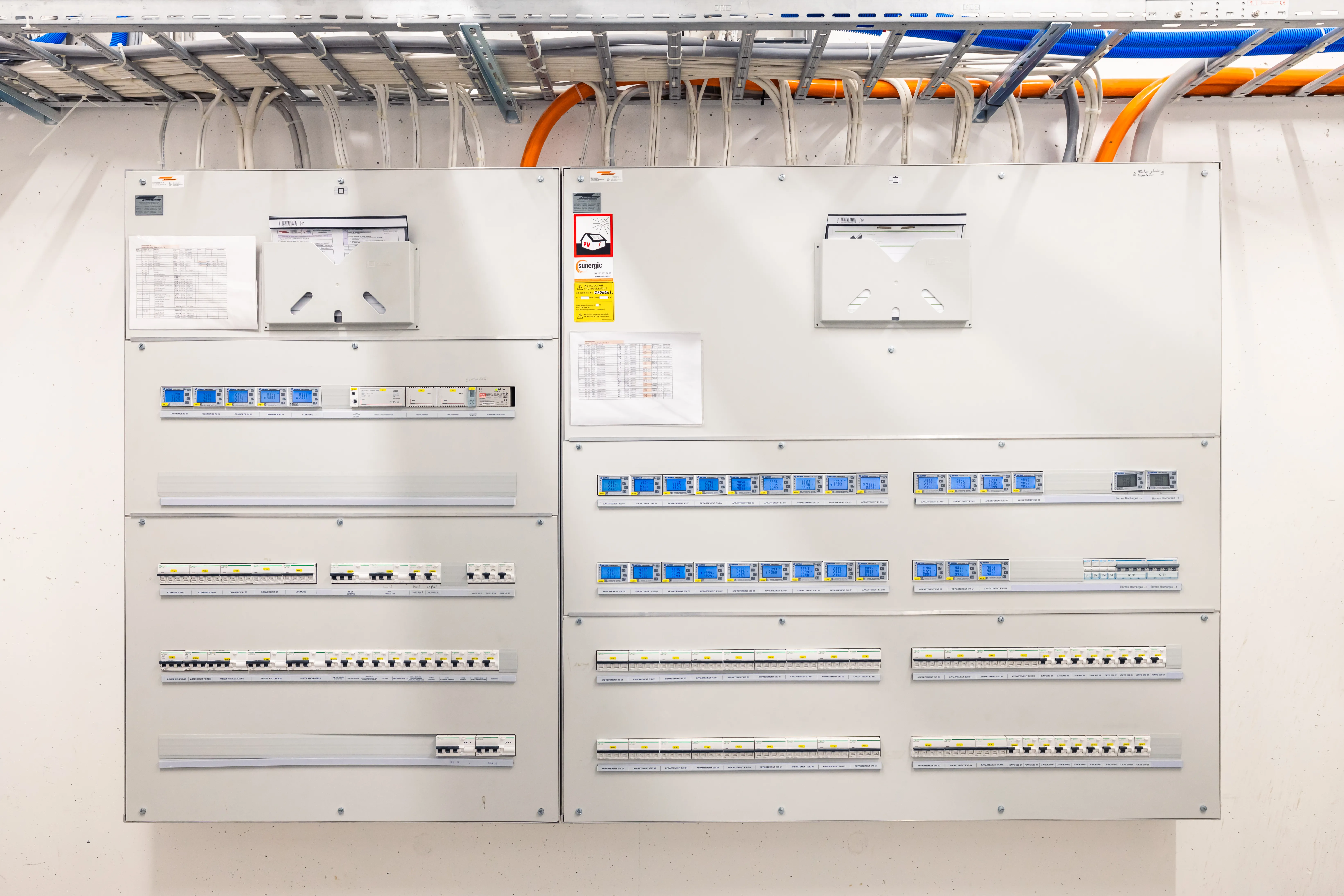
RS485 communication bus and internet connection
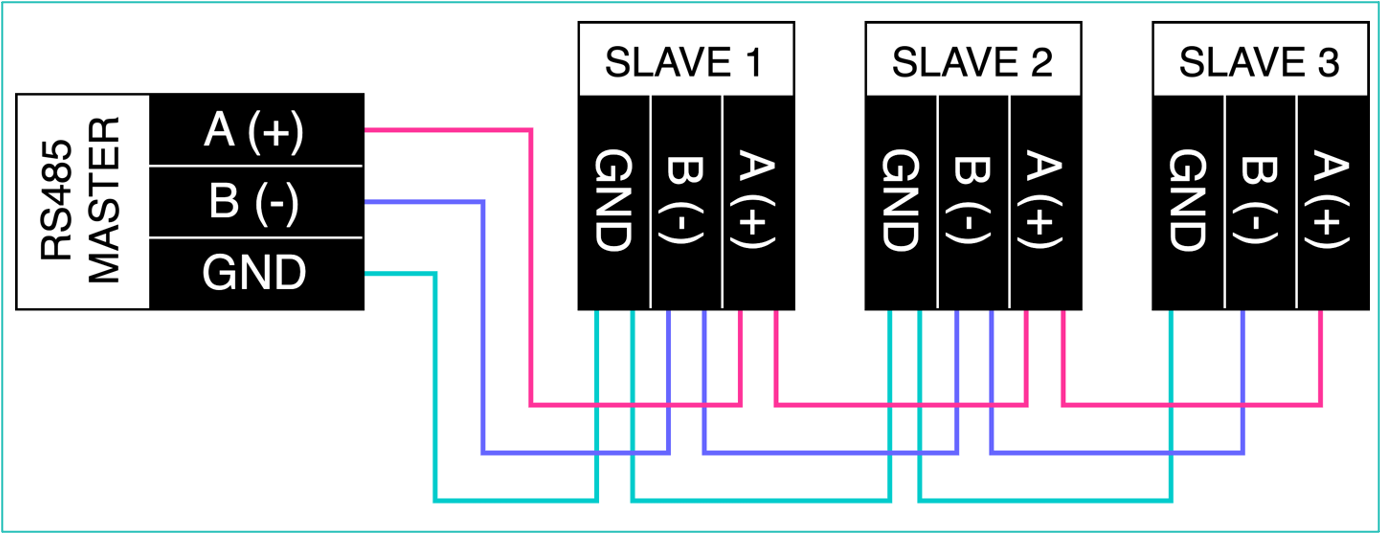
A serial RS485 communication bus connects each meter to the RS485 interface of the Climkit Gateway.
The meters (Slaves) are connected via an RS485 bus network to the Gateway (Master) according to the diagram below.
Guidelines and recommendations for cable pulling:
- Use a shielded U72 cable (aluminum foil type) 4 × 0.8 mm².
- All devices must be connected in series (daisy-chain). Avoid star, tree, or T-connections which can cause communication failures.
- The cable must not form closed loops.
- Maximum length: aim for < 500 m for a safety margin.
- Avoid routing near equipment that could create interference (motors, variable speed drives, etc.).
The Gateway is itself connected via its Ethernet interface to the 4G Router equipped with a multi-operator SIM card to enable remote meter reading.
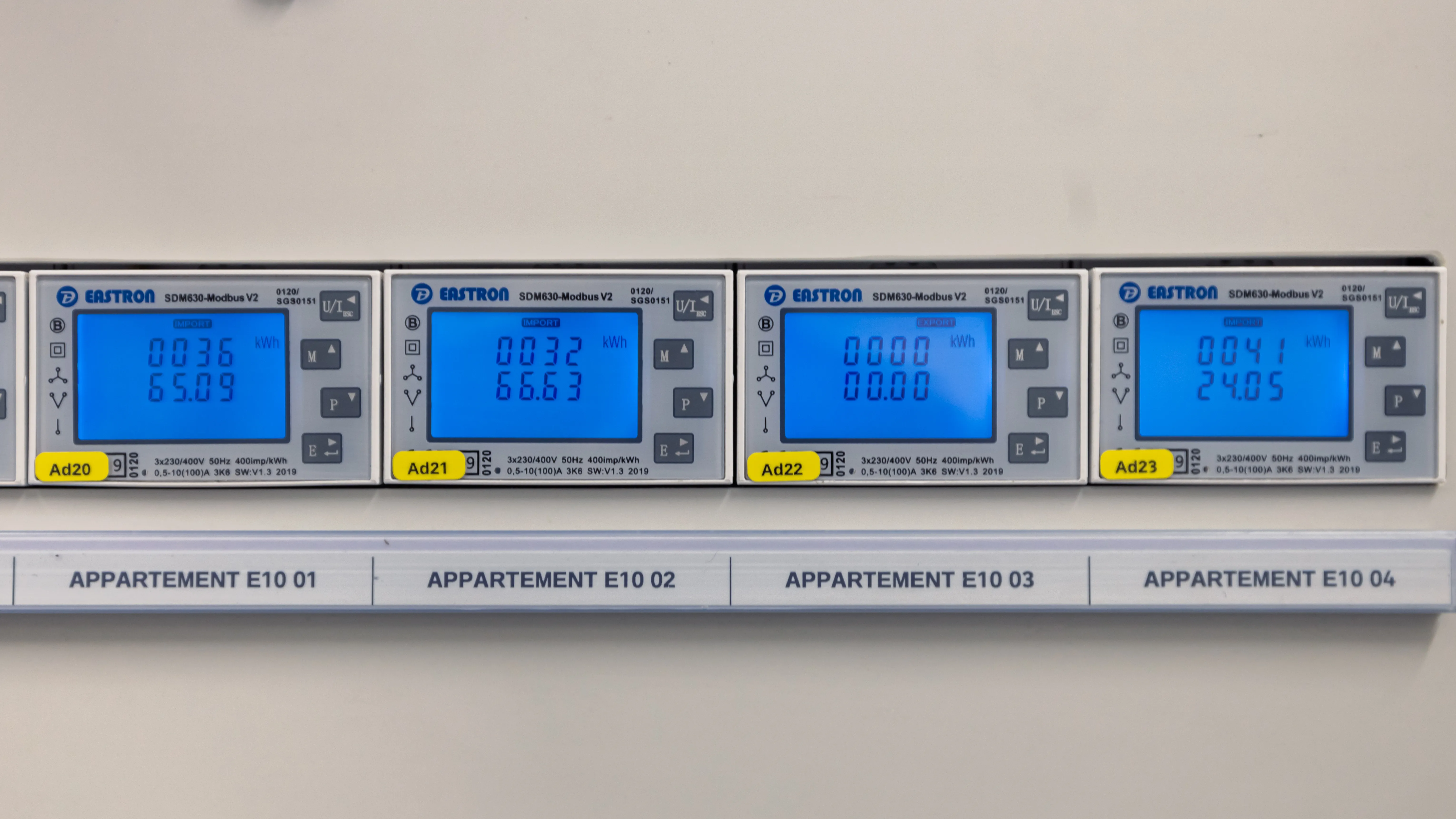
Climkit offering
The standard Climkit offering includes the elements necessary for system operation: hardware equipment, software features, and setup services.
All hardware is delivered pre-configured to simplify installation and ensure proper meter communication.
- Equipment:
- LAN router or 4G Router
- Climkit Gateway
- Electricity meters
- Software features:
- Reading and visualization of electricity meters
- Setup services:
- Technical coordination and verification of meter reading
- Administrative setup
All products are ordered directly from Climkit.
In most cases, the installation can be carried out by the installer without on-site intervention by a Climkit technician.
Phone support is available if needed during commissioning.
Details of equipment used
4G Router
An internet connection is essential for system operation. If no connection is available, Climkit can provide it via a 4G Router equipped with an active multi-operator SIM card.
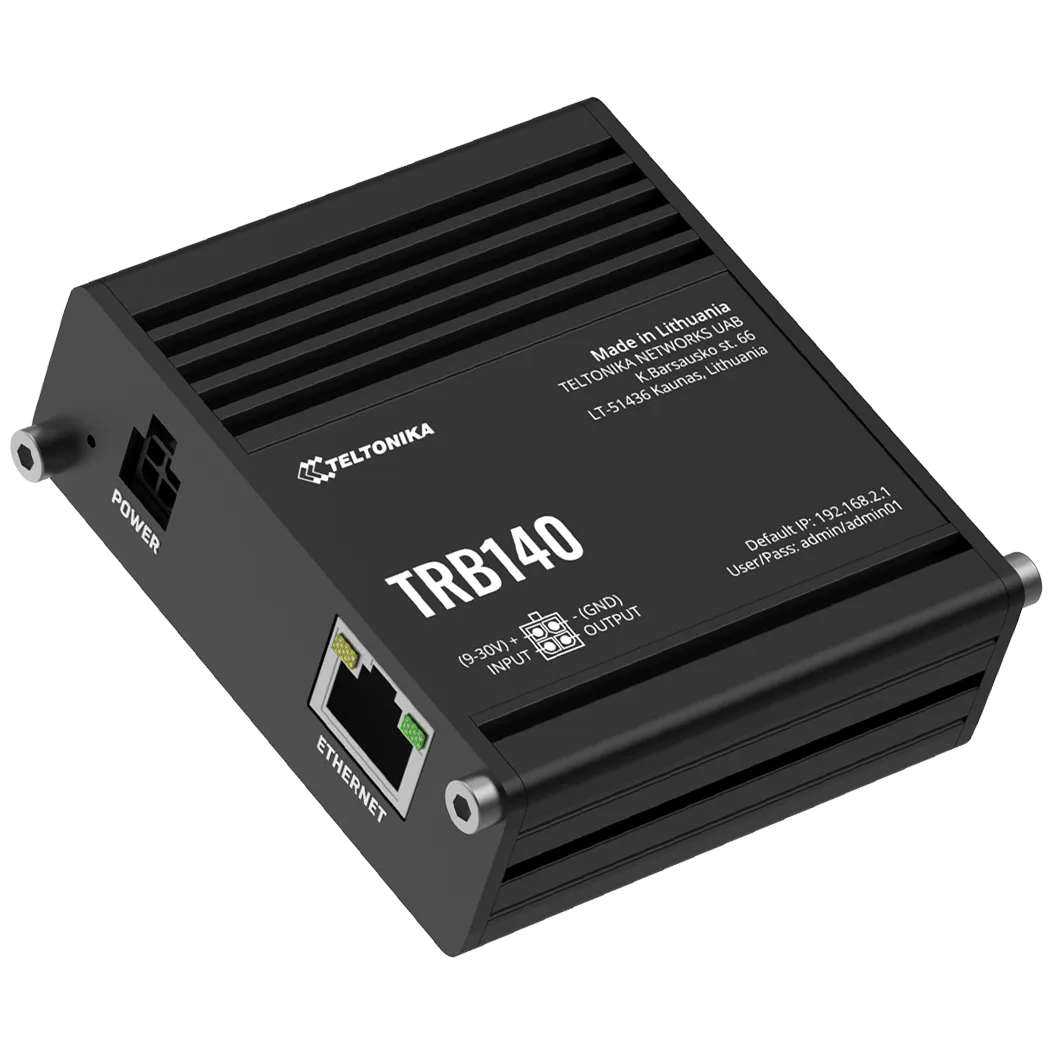
Using the Climkit TRB140 4G Router offers several advantages:
- Simplified installation: the router is easily installed inside the electrical switchboard, directly on the DIN rail
- Complete delivery: supplied with its DIN rail holder and 24 V DC power supply
- Ready to use: delivered pre-configured with an activated SIM card
- Cost-effective 4G subscription: low-cost internet connection
Climkit Gateway
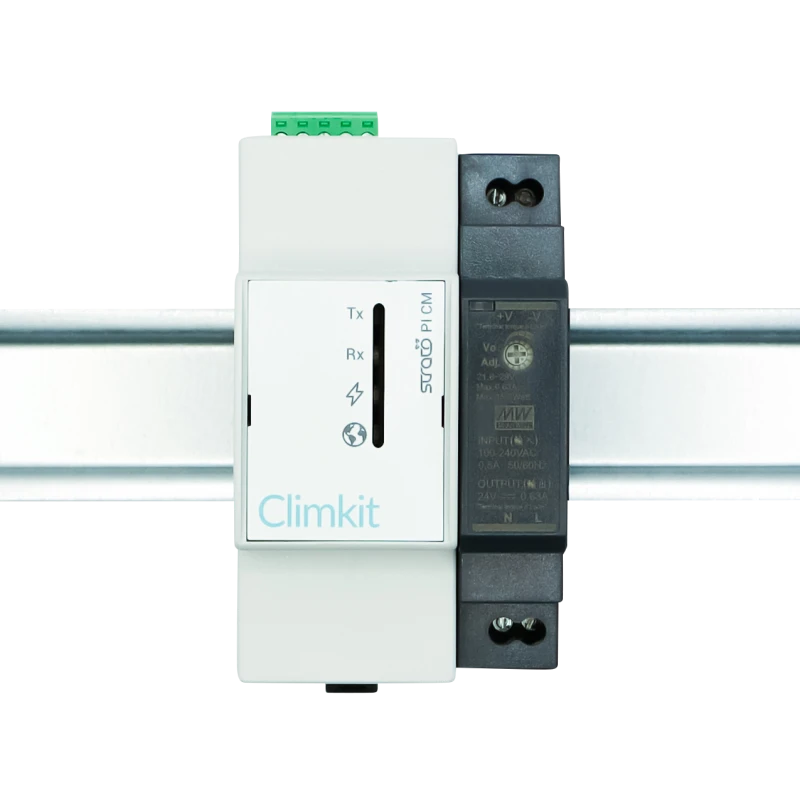
The Climkit Gateway reads the meters connected to its RS485 port via the Modbus protocol and transmits the readings to the Climkit platform via the internet.
Electricity meters
Electricity meters allow the measurement of consumption, production, as well as electricity imported from the grid and fed back into it.
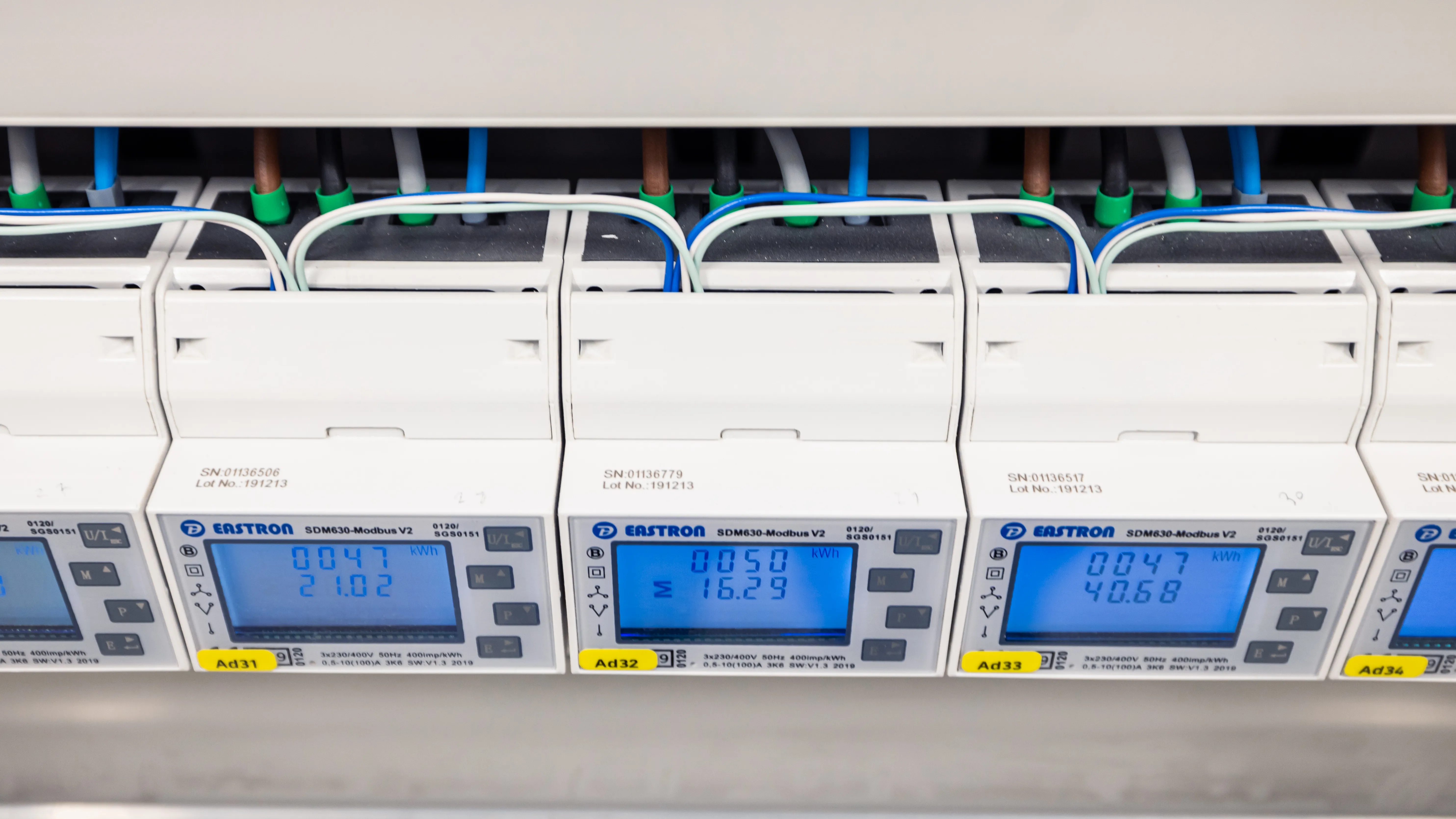
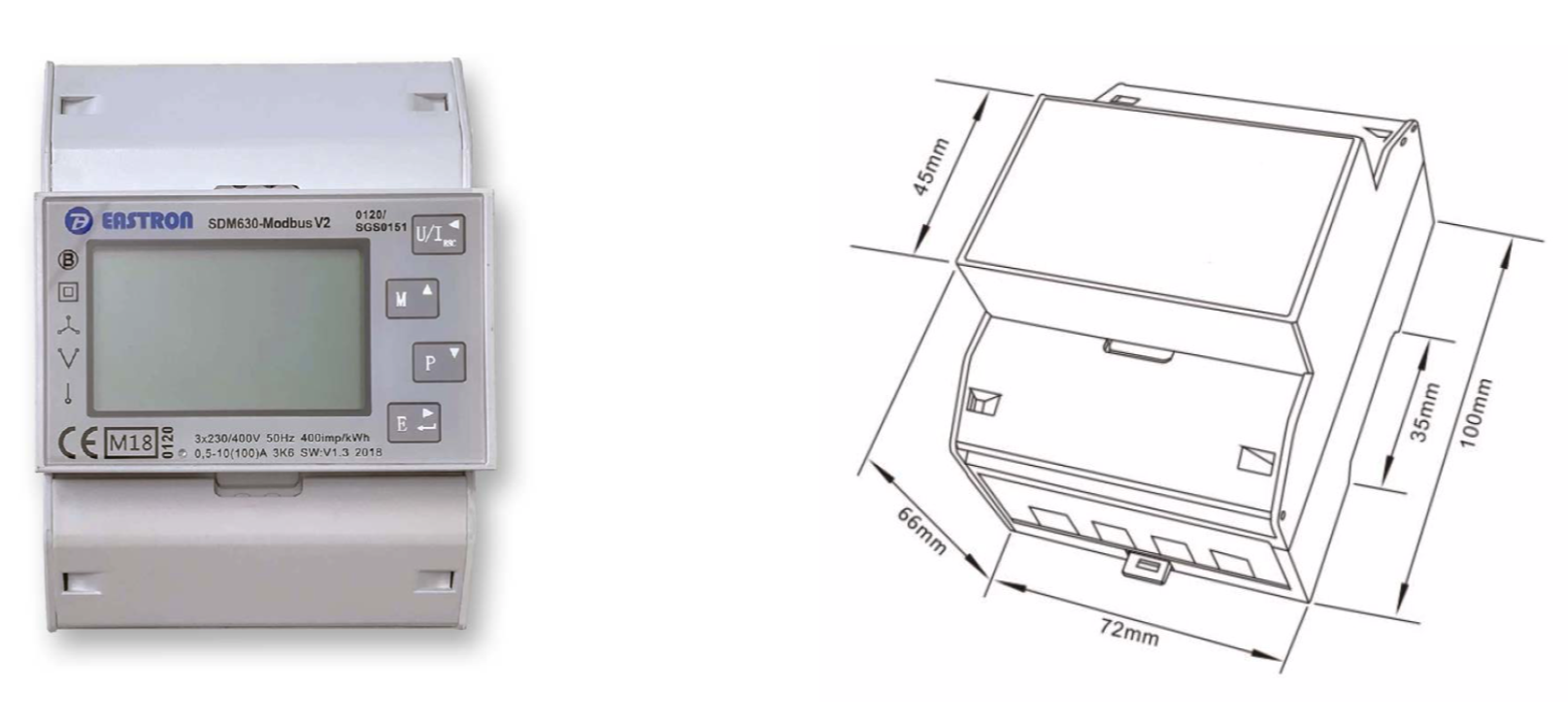
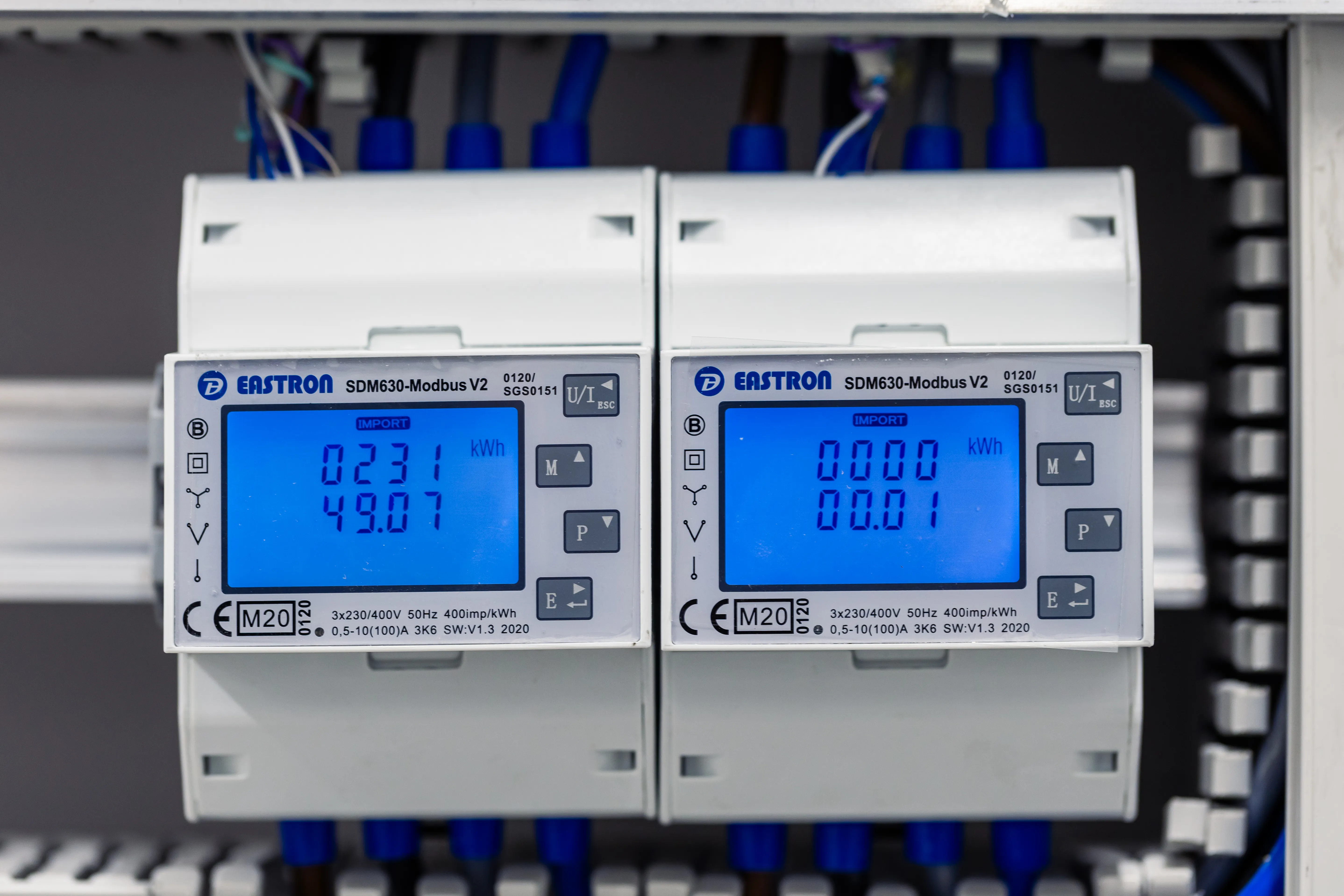
In the case of a connection below 80 A, Climkit provides direct electricity meters, meaning that the conductor wires pass directly through the meter.
The model generally supplied is the Eastron SDM630Modbus meter. The meter is 4 DIN modules wide and is installed directly in the electrical switchboard on a DIN rail or in a suitable enclosure (see T-Box below).
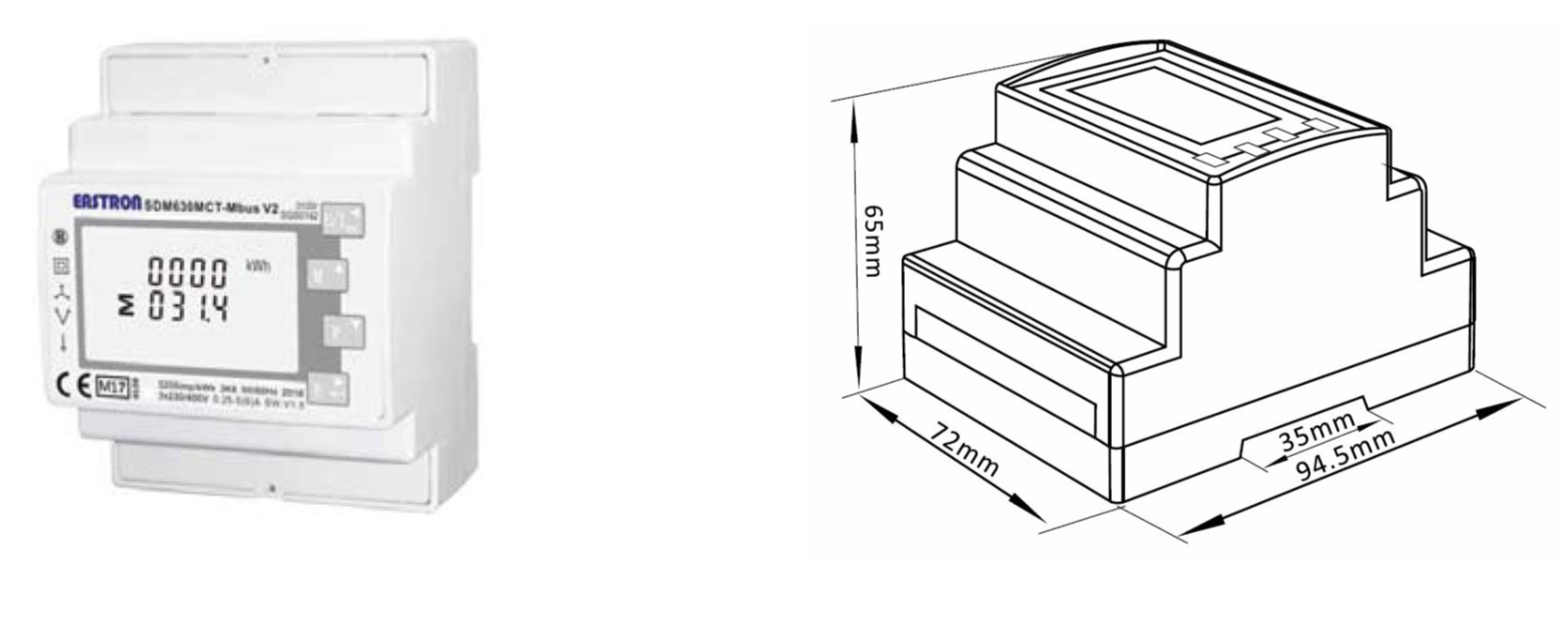
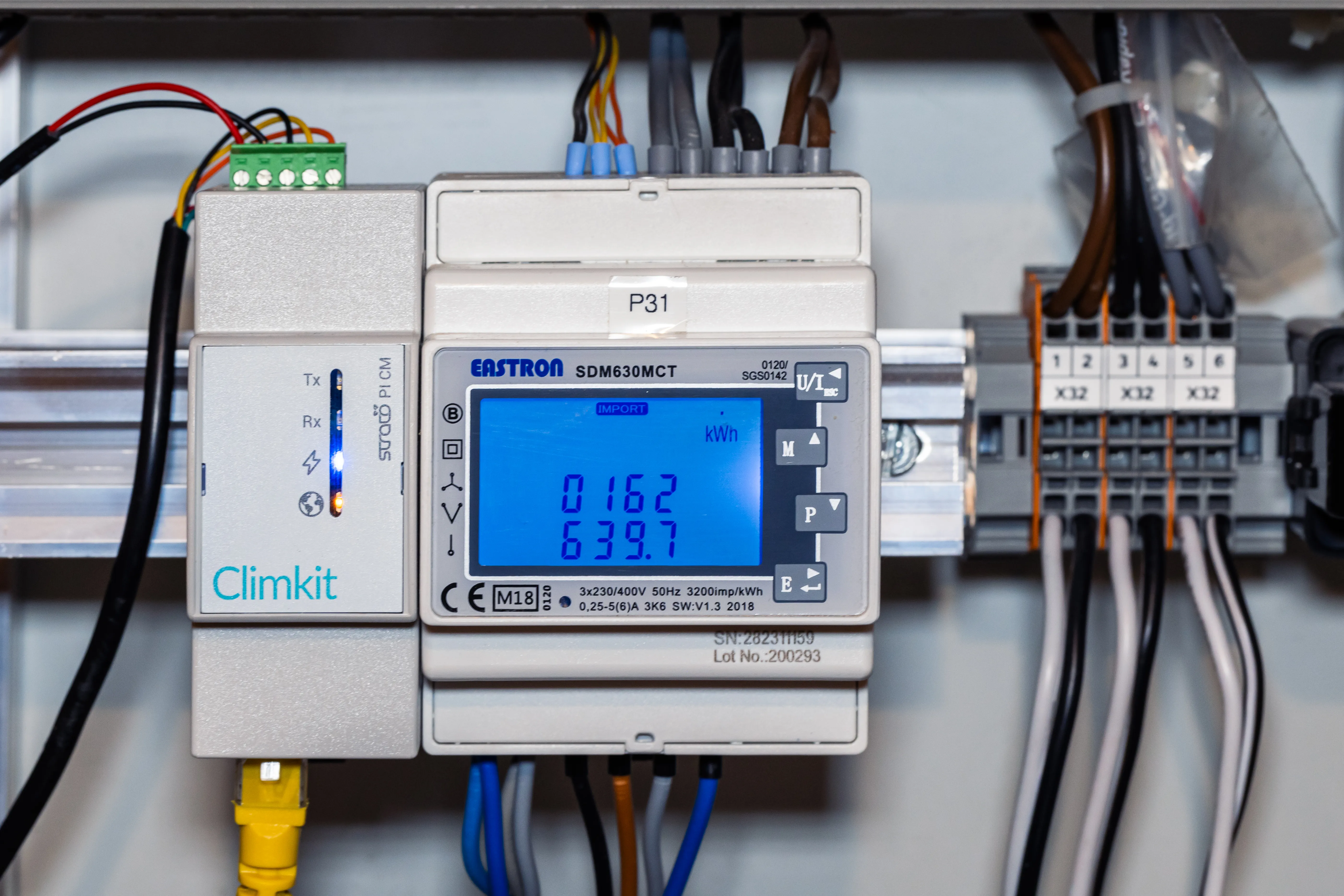
If the connection current (amperage) exceeds 80 A, Climkit supplies indirect electricity meters, meaning that the conductor wires pass through current transformers (CTs), which are themselves connected to the meter.
- The model generally supplied is the Eastron SDM630MCT meter.
Current transformers (CT)
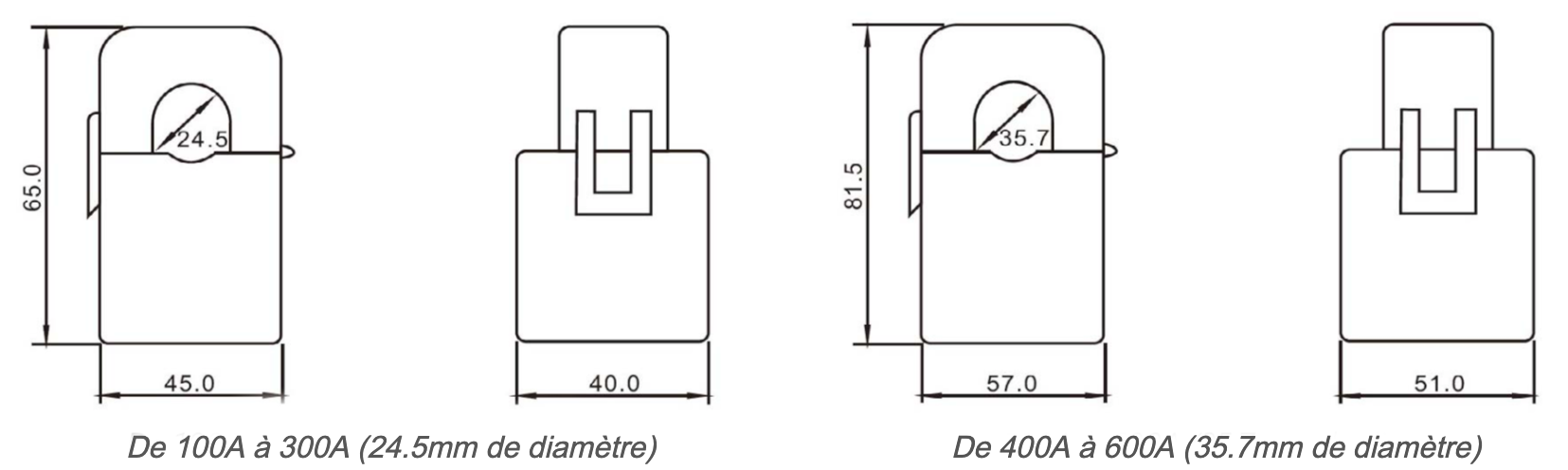
CTs are chosen according to the connection current and the diameter of the conductor around which the CT will clip.
Climkit supplies CTs ranging from 100 A to 2000 A.
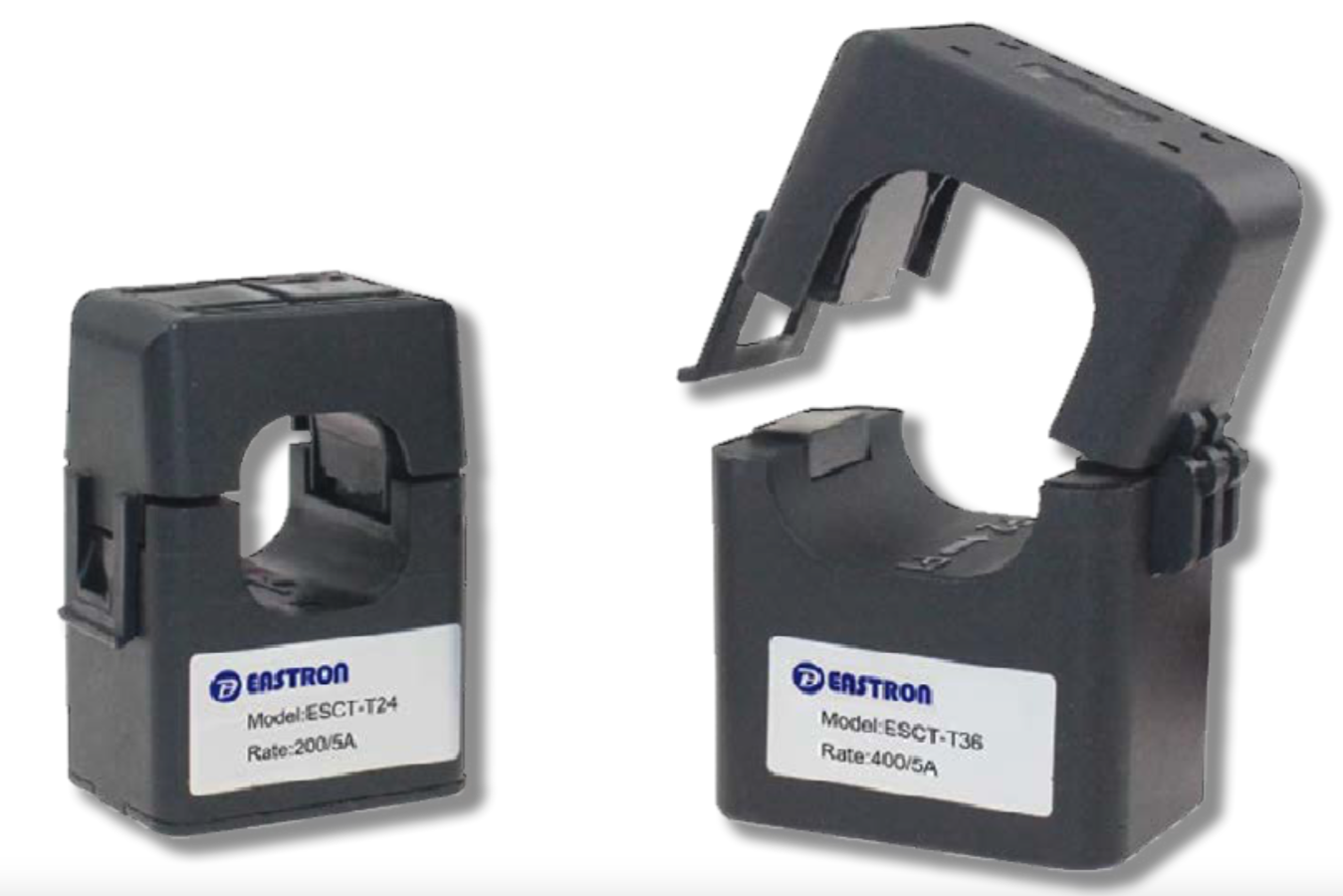
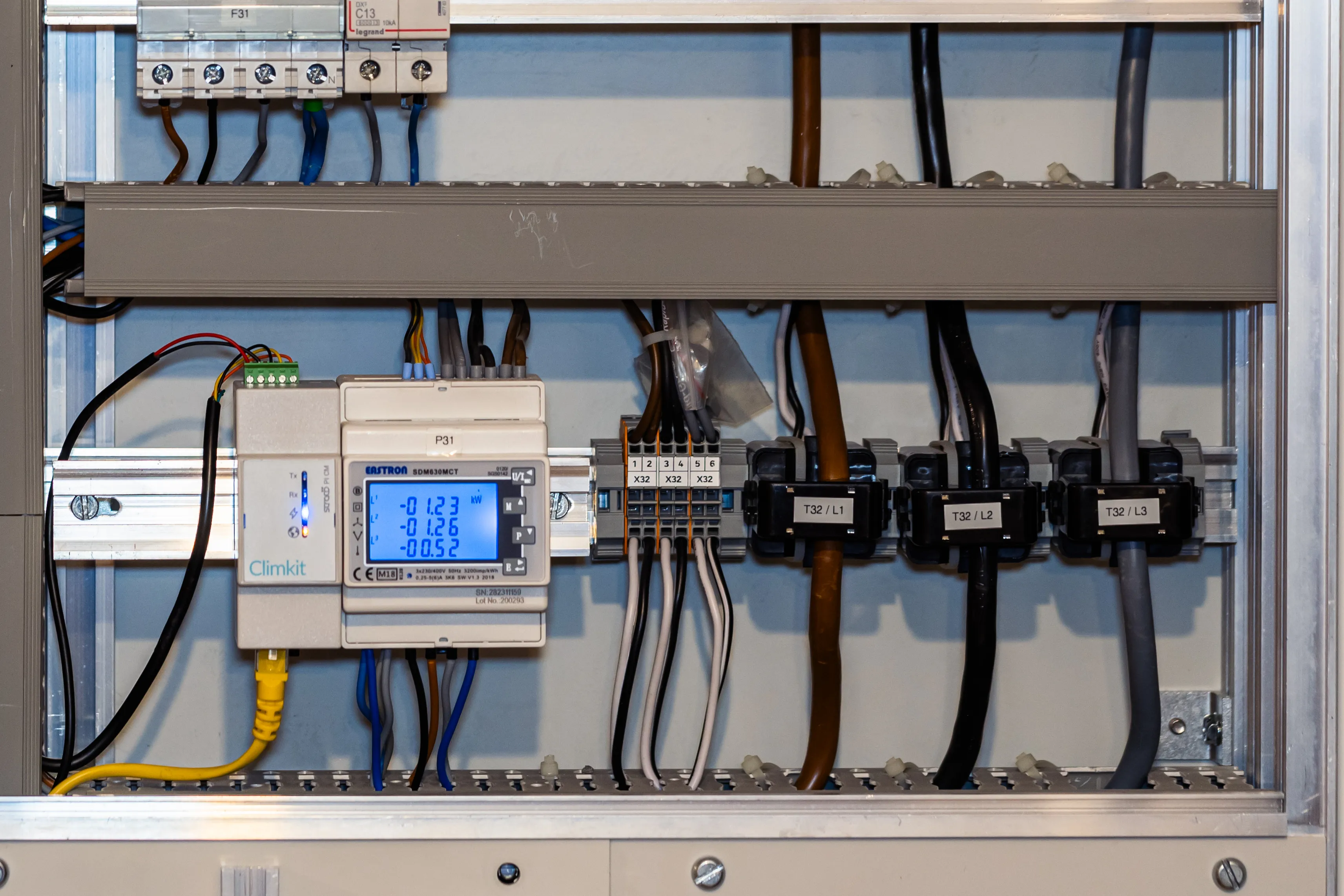
The CTs clip directly onto the cable or copper busbar of each phase. Pay attention to the cable cross-section relative to the CT diameter.
Other CTs can be ordered for specific cases requiring a larger diameter. To be specified when ordering.
T-Box meter enclosure and mounting plate
To facilitate the installation of meters in Distribution system operator (DSO) meter locations, DIN rail enclosures with a mounting plate can be ordered.
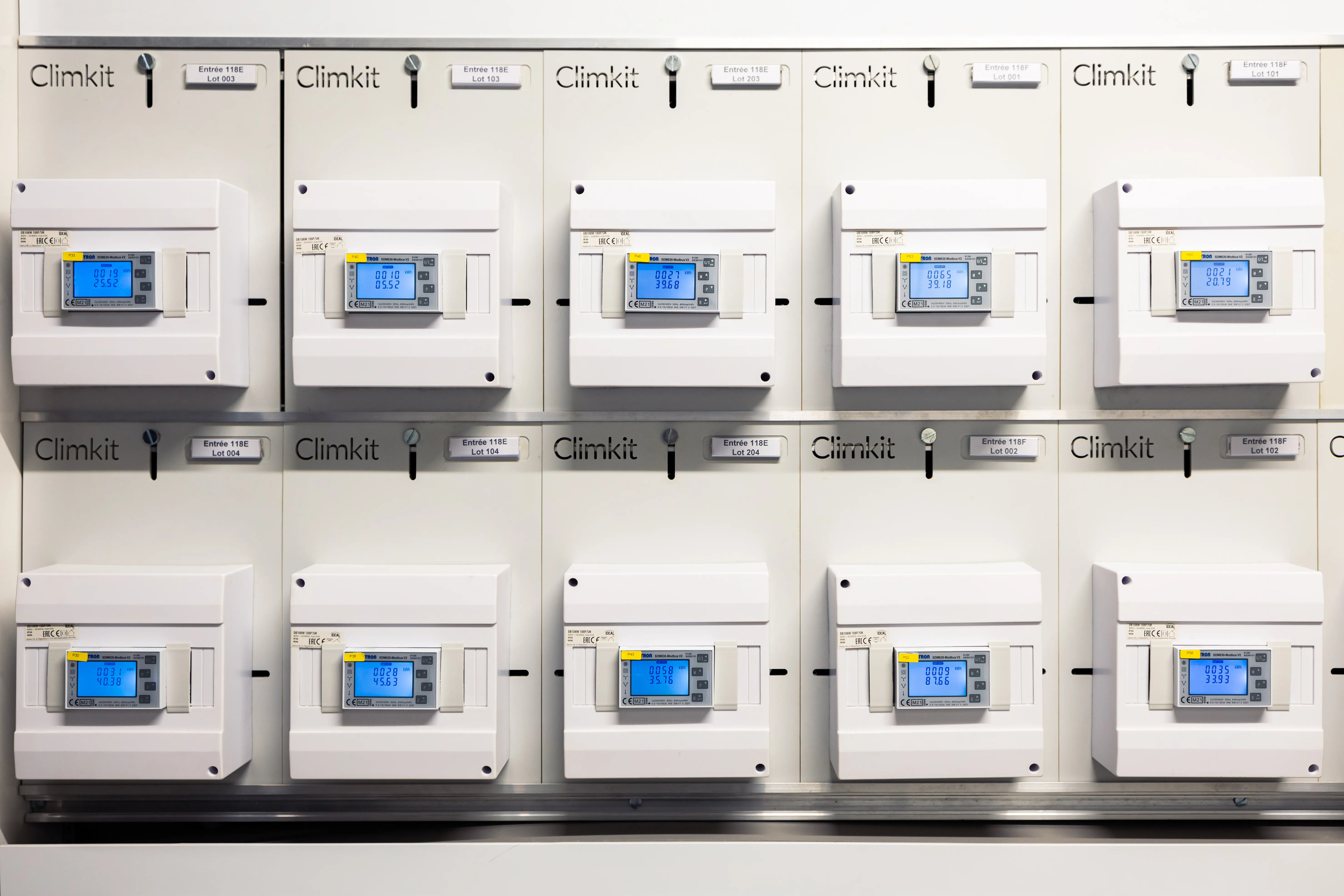
DIN rail enclosure on T mounting plate (H: 36 cm, W: 21 cm)
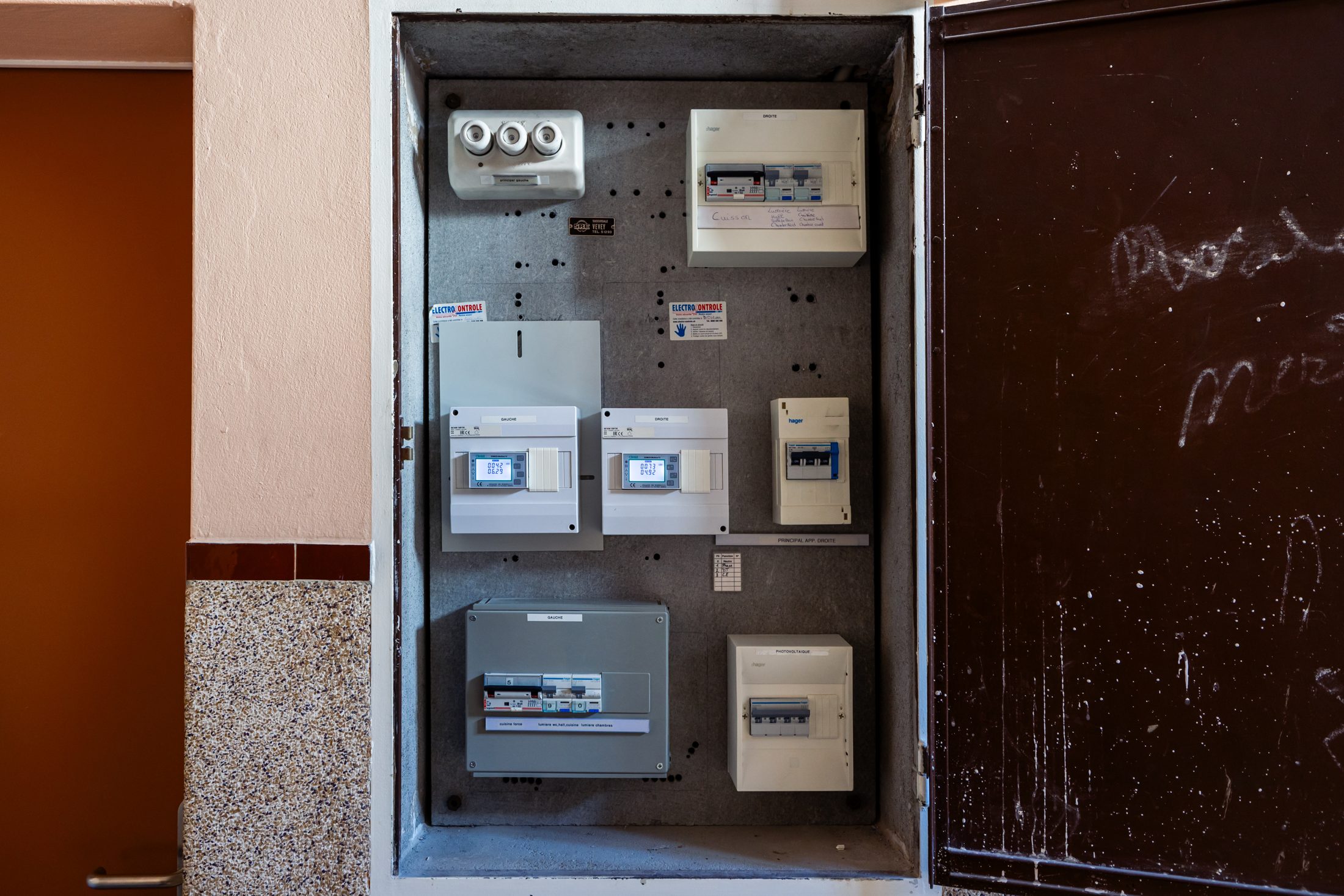
Climkit meters installed in place of existing meters on a floor landing
Option: Pre-wired service entry switchboard
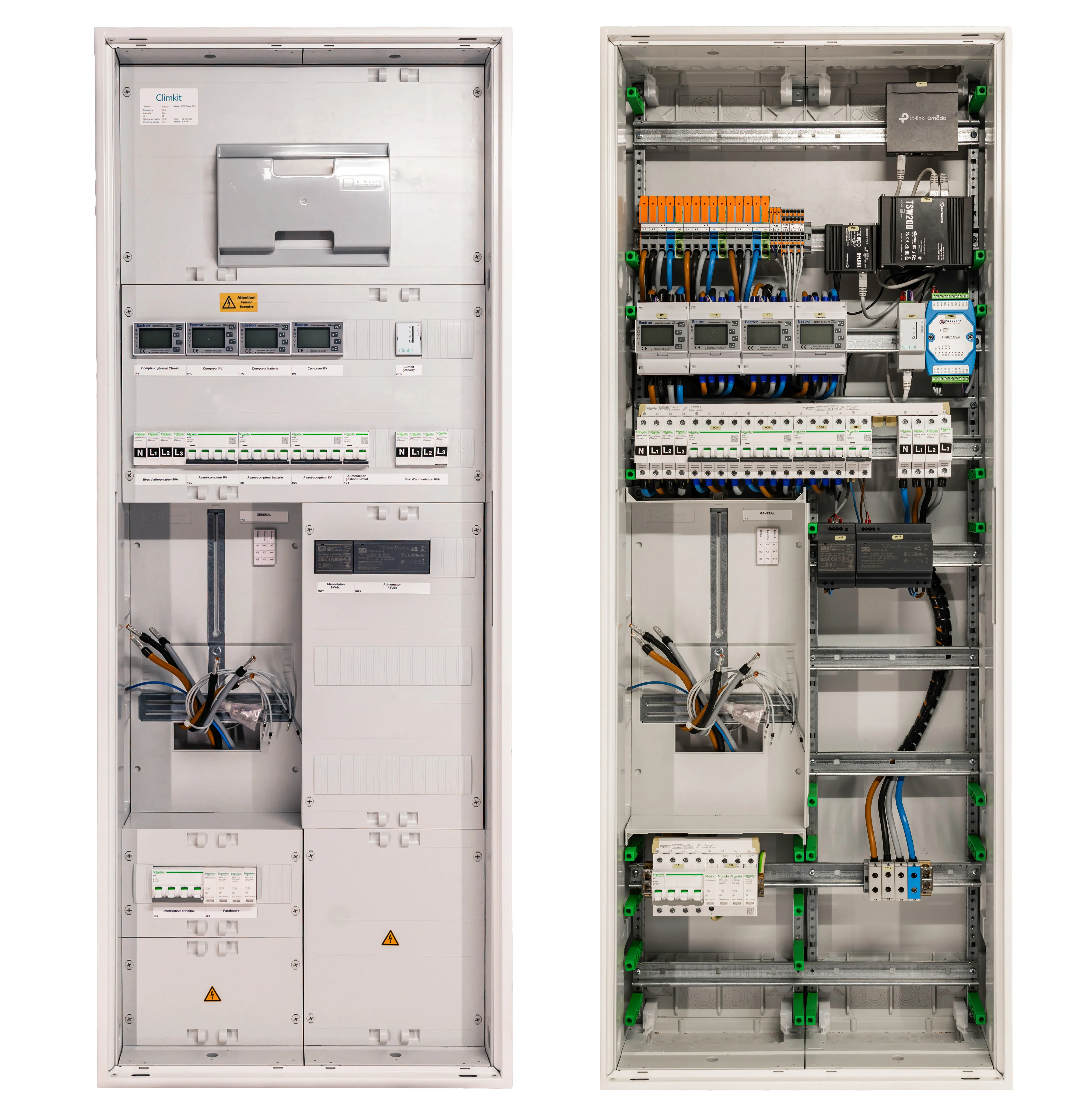
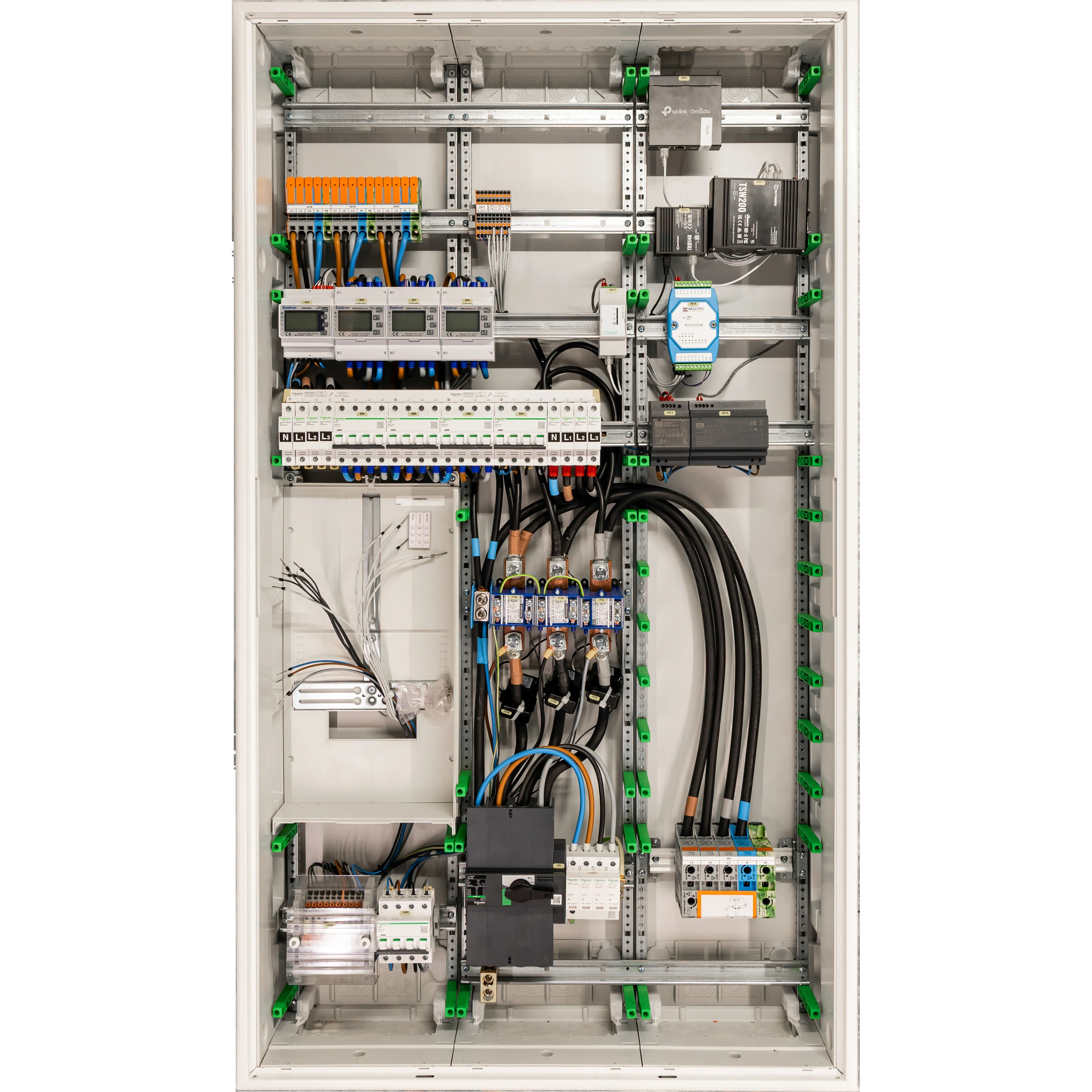
Climkit offers a pre-wired service entry switchboard to consolidate, at the site's service entry point, all the elements required for an RCP grouping (photovoltaic, battery, and charging stations).
It includes:
- the grid service entry (up to 160 A depending on the variant)
- the Distribution system operator (DSO) meter location
- the photovoltaic inverter (≤ 30 kVA), AC battery, and charging station feeders
- the private main, PV, battery, and charging station meters
- the Climkit communication infrastructure (Gateway, multi-operator 4G Router, PoE Ethernet switch)
Ready to install and developed by Climkit, it combines the service entry and communication infrastructure required to integrate the solutions.
Assembled in Switzerland with Schneider Electric components, it is available in two variants:
Variant up to 80 A (direct metering)
Variant up to 160 A (indirect metering with CTs)
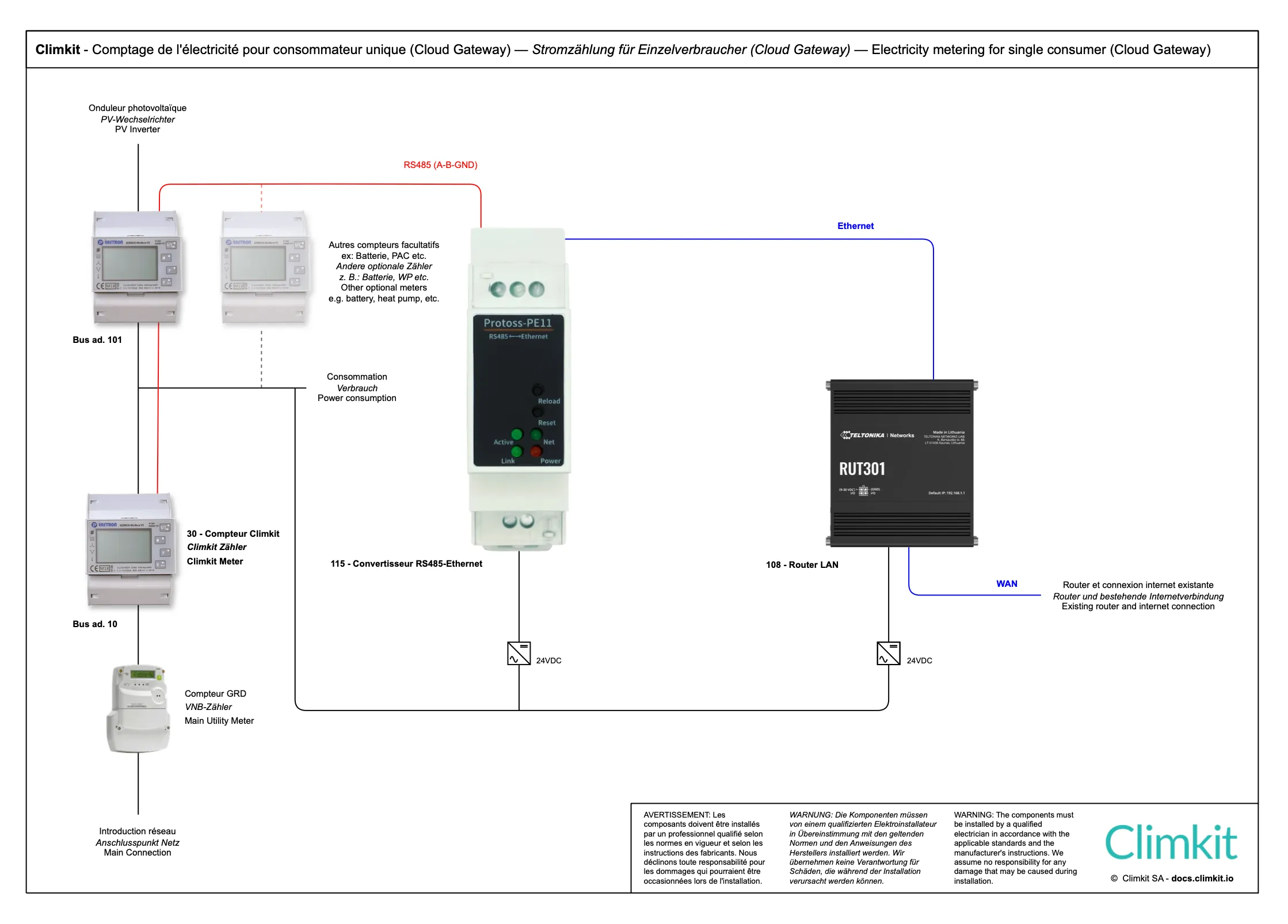
Variant with Cloud Gateway
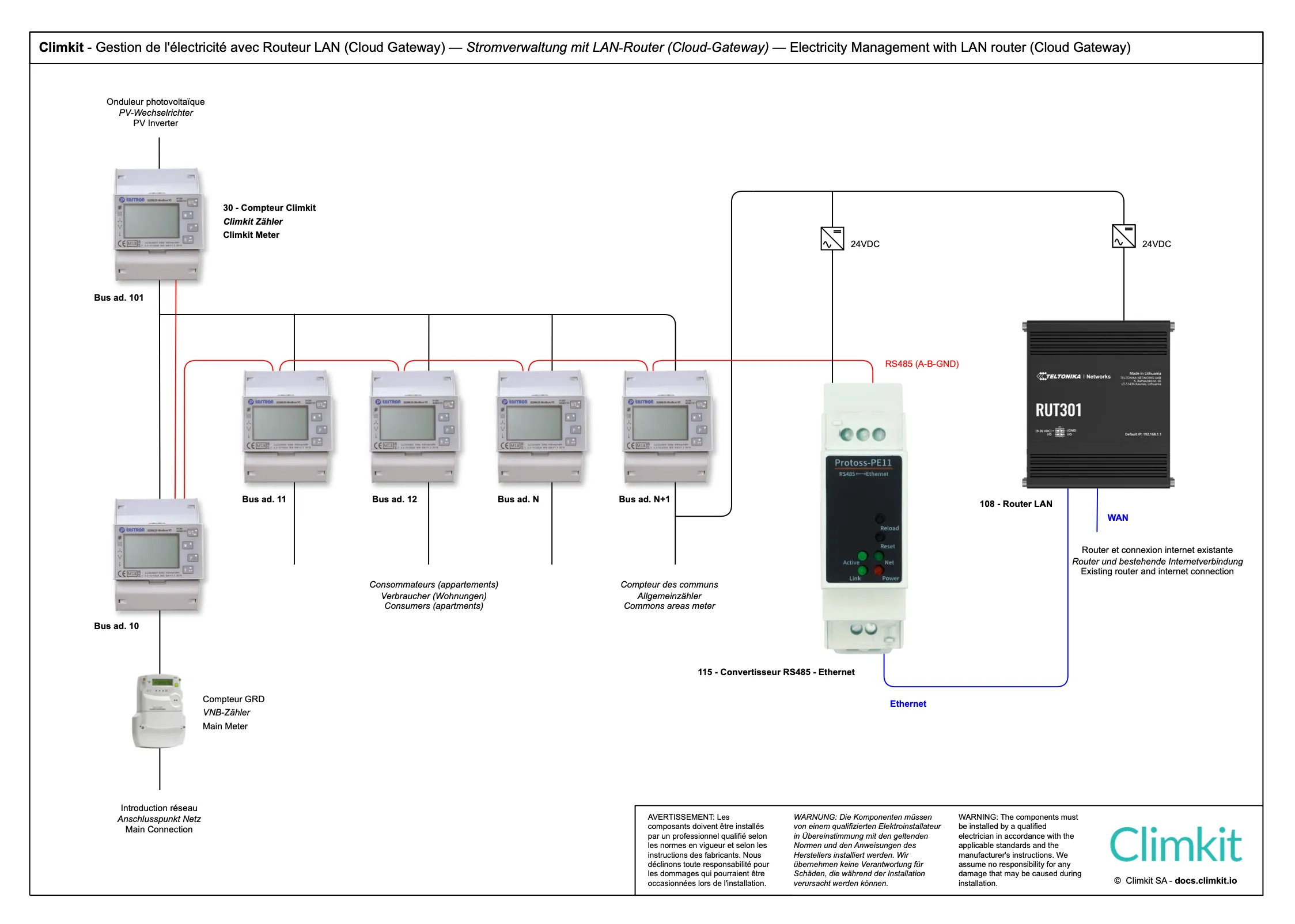
Instead of using a Climkit Gateway, it is possible to opt for a virtual Gateway using the MQTT protocol, combining a router (LAN or 4G) with an RS485-to-Ethernet converter.
Cloud Gateway diagram with 4G Router
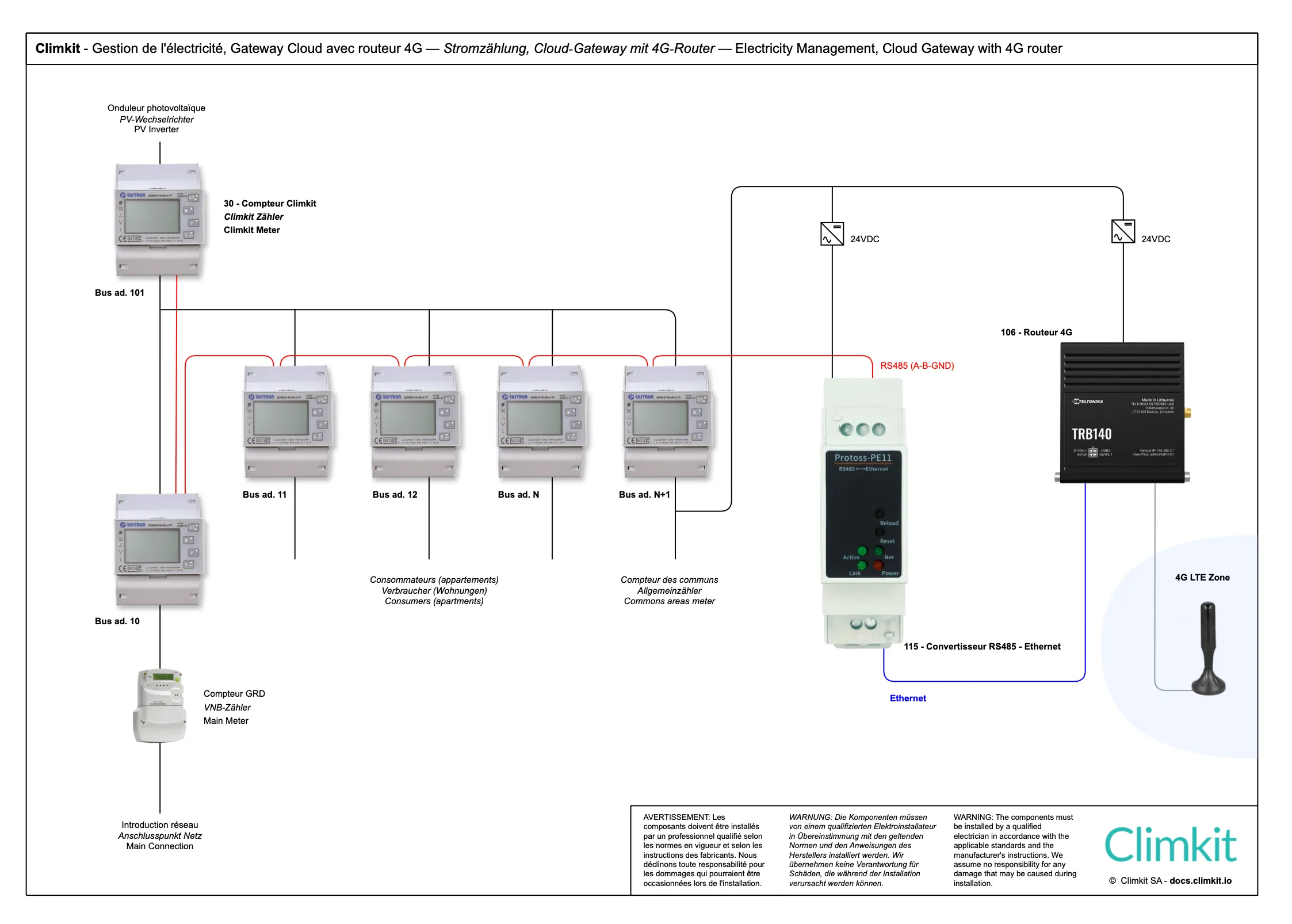
Diagram with LAN router
Energy optimization and storage
In addition to metering and billing, Climkit allows increasing the self-consumption rate of the solar electricity produced on site by controlling appliances according to surplus (hot water, heat pump, electric vehicle charging stations) and managing a storage battery.
For planning these functions, refer to Planning energy optimization and storage.
2. Connection variants
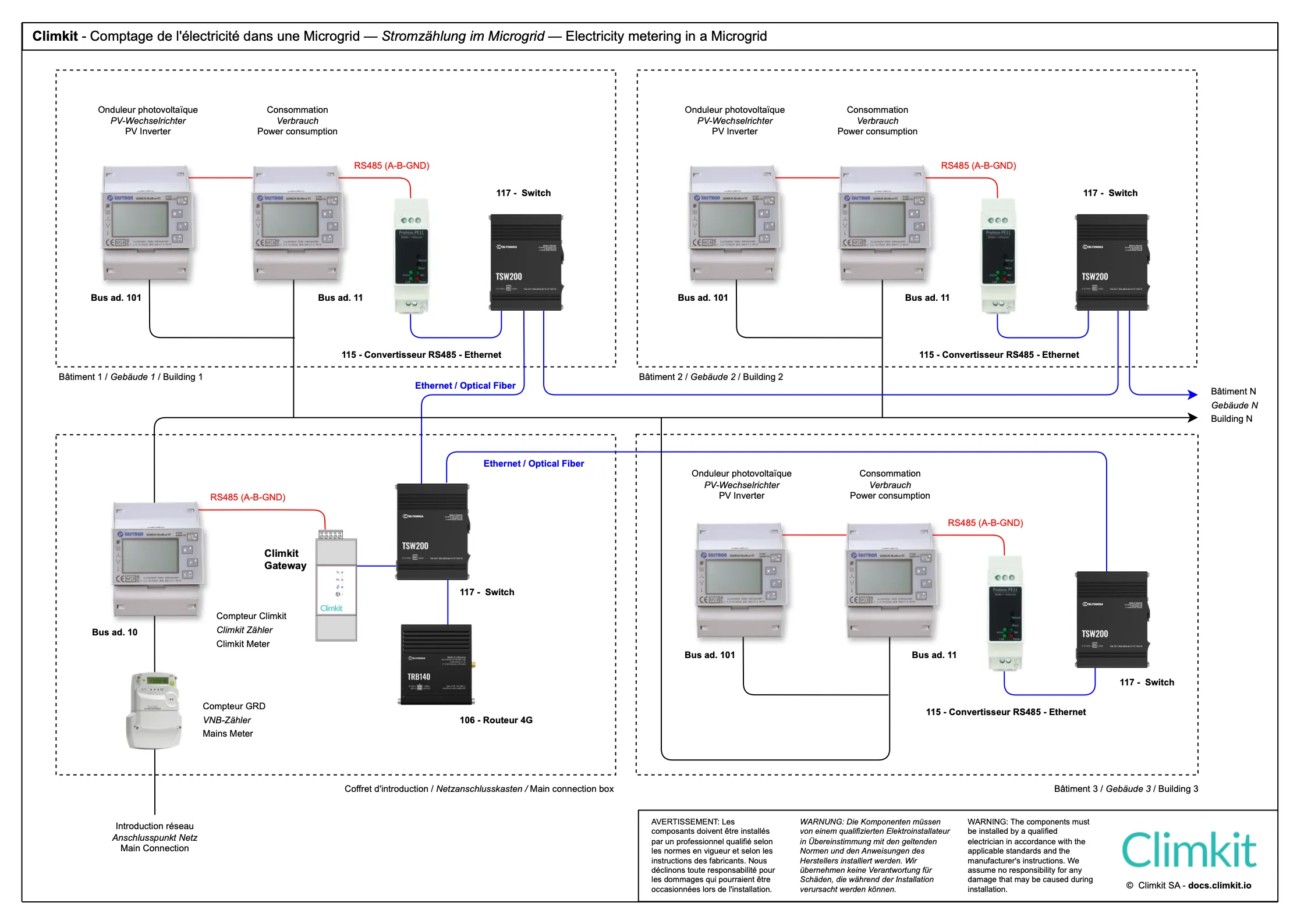
Microgrid diagram: site consisting of multiple buildings
The Microgrid diagram consists of a grouping (RCP) with the following characteristics:
- A single public grid connection point, equipped with a Distribution system operator (DSO) input meter, usually located in a separate main switchboard room or in one of the site's buildings.
- Multiple buildings connected to this same connection point.
- Multiple consumers (apartments, offices, common areas, etc.), each connected to an individual meter.
This diagram applies particularly when private meters are distributed across different locations on the site. Several variants are then possible for connecting and reading meters:
- Installing a bus between buildings, passing through each meter to the central Climkit Gateway.
- Installing a Climkit Gateway in each building, each connected to the internet for data transmission.
- Recommended: Interconnect all buildings via a local IP network (RJ45 cabling or optical fiber). Each meter installation is connected to an RS485-to-Ethernet converter, which is itself connected to the site's LAN. This architecture enables efficient data centralization while ensuring infrastructure flexibility. (See diagram below.)
This last variant is recommended because it offers several advantages:
- Increased reliability: It avoids connection issues related to the physical bus between buildings, which can be complex to diagnose and troubleshoot.
- Equipment savings: It allows installing only one Gateway and one router for the entire site, thus simplifying the architecture and reducing costs.
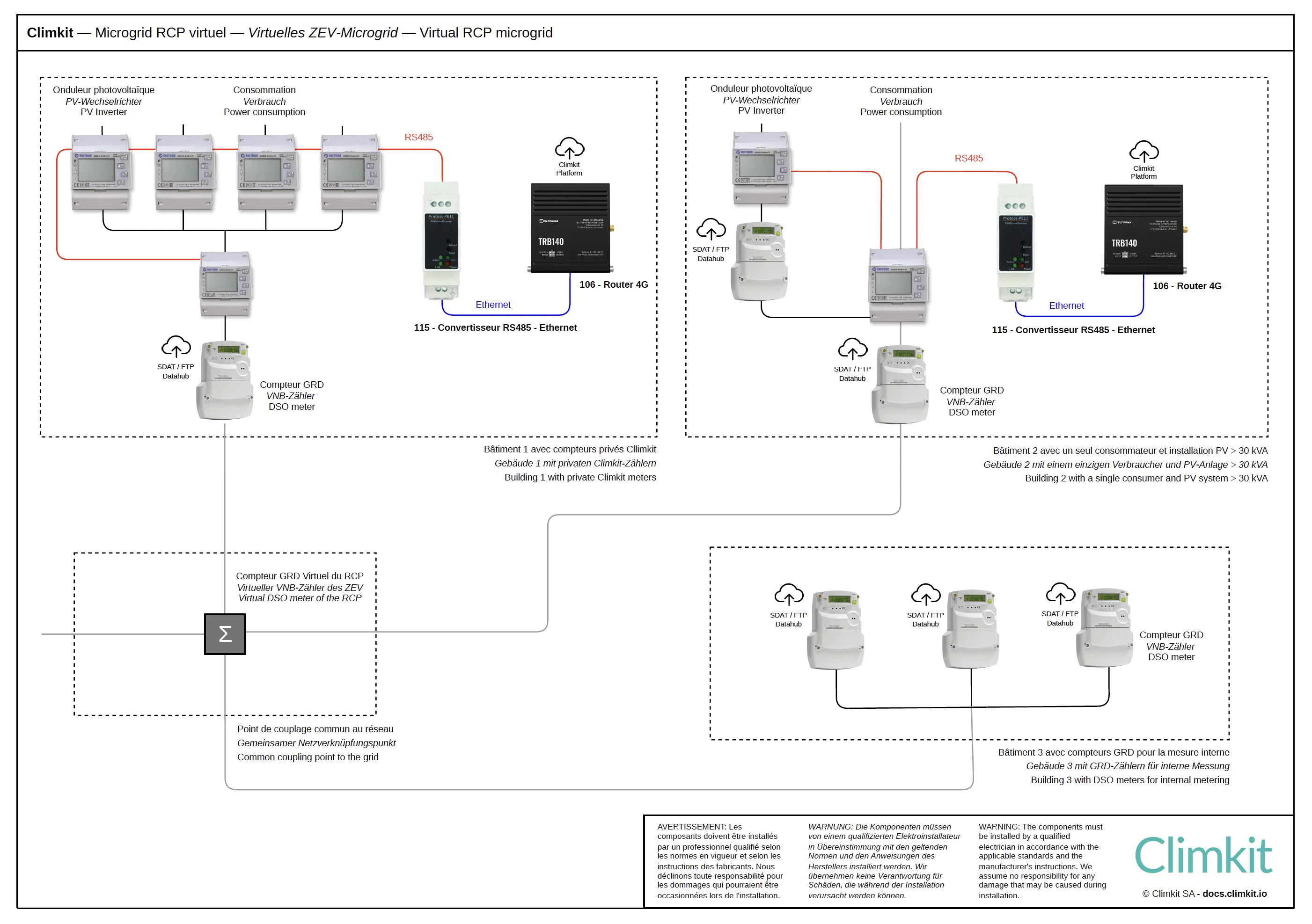
Microgrid diagram with virtual RCP and multiple service entries
The Microgrid diagram with virtual RCP consists of:
- Multiple public grid connection points, each with its Distribution system operator (DSO) meter
- Multiple interconnected buildings
- Multiple consumers (apartments, offices, common areas, etc.) equipped either with a private meter or a Distribution system operator (DSO) meter
- Multiple photovoltaic installations measured by a private meter or a Distribution system operator (DSO) meter
Operating principle:
The electricity produced is shared between buildings. Distribution system operator (DSO) meters are grouped virtually to establish a single grid import invoice.
Private meters are read directly by the Climkit Gateway, while the Distribution system operator (DSO) transmits data from its meters to Climkit. All information is centralized on the Climkit platform.
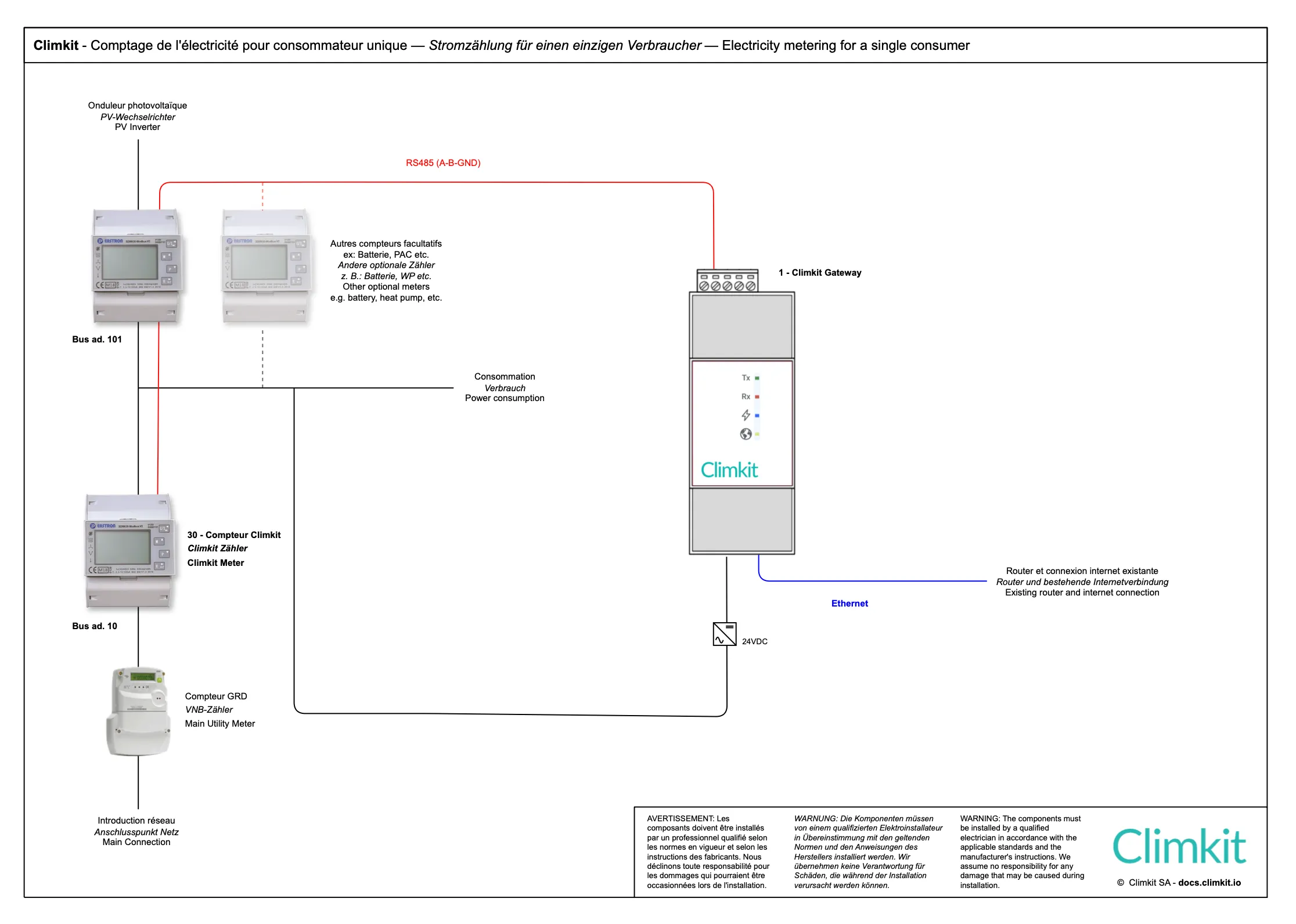
Single consumer diagram
This diagram applies to sites comprising:
- A single public grid connection point
- A single consumer
- A single photovoltaic installation
Application example: a single-family house or commercial building equipped with a photovoltaic installation.
At least two meters are installed: an input meter in series with the Distribution system operator (DSO) meter and a photovoltaic production meter.
Consumption does not need to be measured directly: it is calculated from the values of the other two meters (Consumption = Production + Grid import or - Fed back).
Cloud Gateway variant with LAN router (or 4G)
Local electricity community (LEC)
An LEC does not require any specific connection between the producer and consumers: the solar electricity supplied by the producer is transported via the Distribution system operator (DSO) grid, and the consumer remains a full-fledged customer of the Distribution system operator (DSO). Exchanges within the LEC are measured by the Distribution system operator (DSO) meters.
In practice, two scenarios arise. The producer is also a consumer (e.g. a company with two buildings in the municipality): no specific management is needed. The benefit is directly reflected in a bill reduction. The producer and consumer are different: the producer can mandate Climkit to bill the share of energy supplied to the consumer.