Table of Contents
- 1. Heating, water and ancillary costs management - typical installation
Plan the management of heating, water and ancillary costs

- 1. Heating, water and ancillary costs management - typical installation
This article describes the installation planning. For on-site implementation and equipment configuration on the Climkit platform, refer to the links at the end of the article.
1. Heating, water and ancillary costs management - typical installation
Climkit's Heating and ancillary costs management solution allows heating costs to be allocated among building occupants in proportion to their individual thermal energy consumption, in compliance with the requirements of the Swiss Confederation's Individual Energy and Water Cost Allocation (DIFEE).
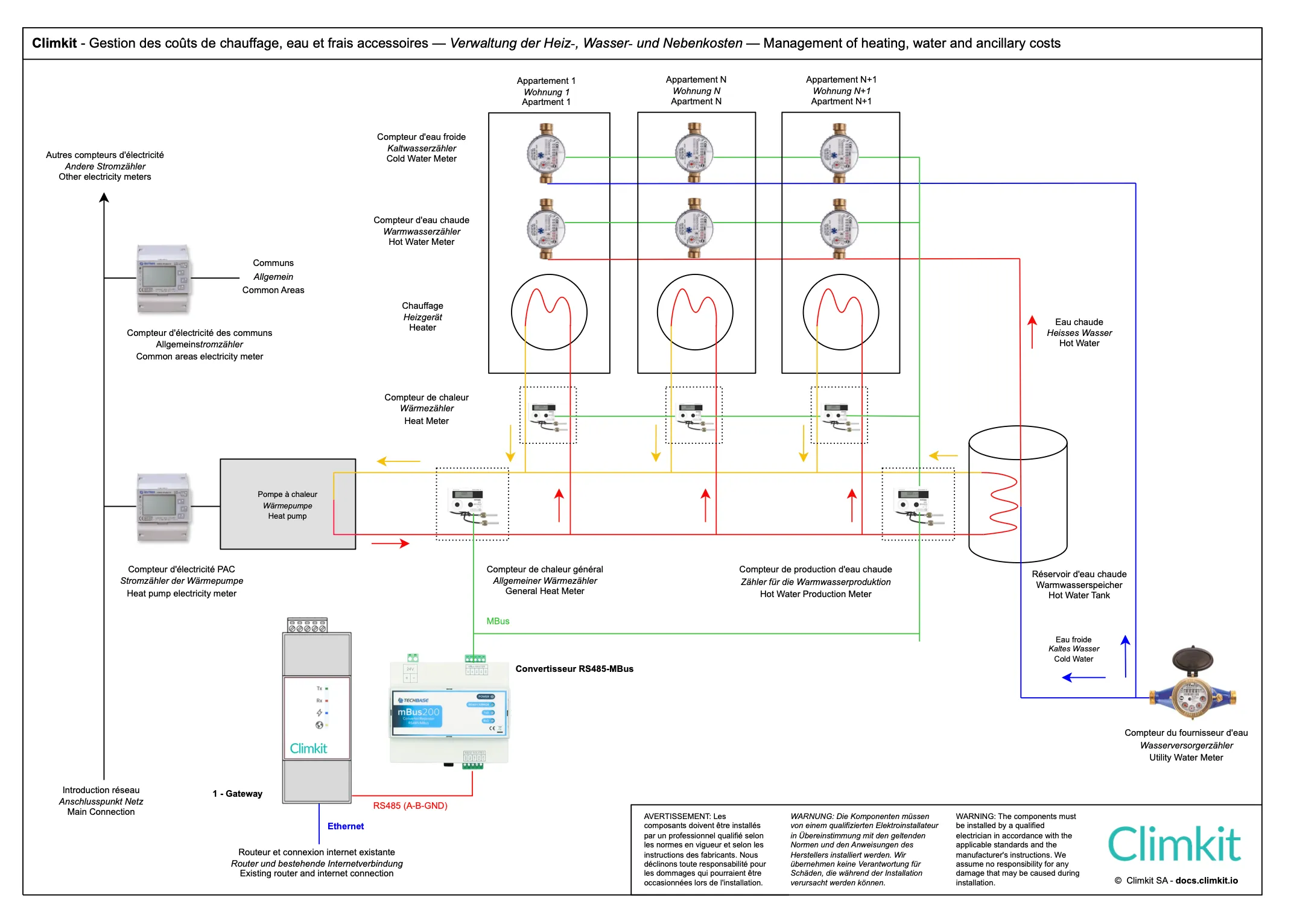
To do this, Climkit reads the following meters:
- One thermal meter (heating) per apartment
- One hot water meter per apartment
- One thermal meter at the boiler output to measure total consumption and deduce the share for common areas
- One thermal meter at the water heater inlet to measure the energy required for hot water production
To fairly allocate water consumption and water treatment costs, a cold water meter is installed in each apartment as well as for common areas (laundry room, watering, etc.).
Standard connection diagram
Here is the diagram defining the location of heating, hot water, and cold water meters in a standard residential building.
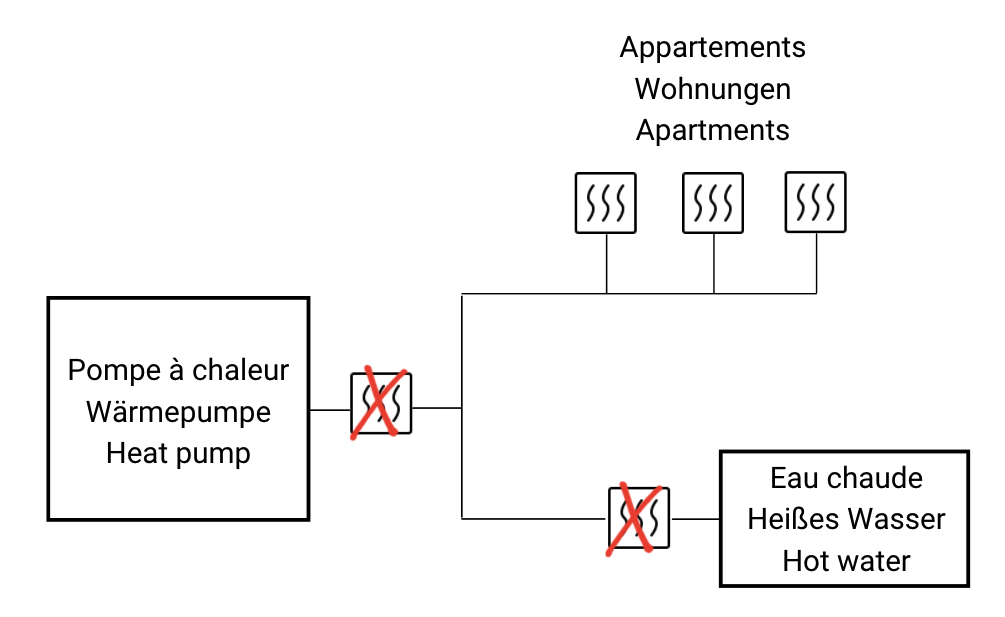
Complete thermal metering (recommended by DIFEE)
To properly allocate heating costs for apartments, common areas, and energy costs related to domestic hot water production, the following installation is required:
- A main meter at the heat pump (PAC) output
- A domestic hot water production meter installed on the water heater connection
- One heating meter per apartment
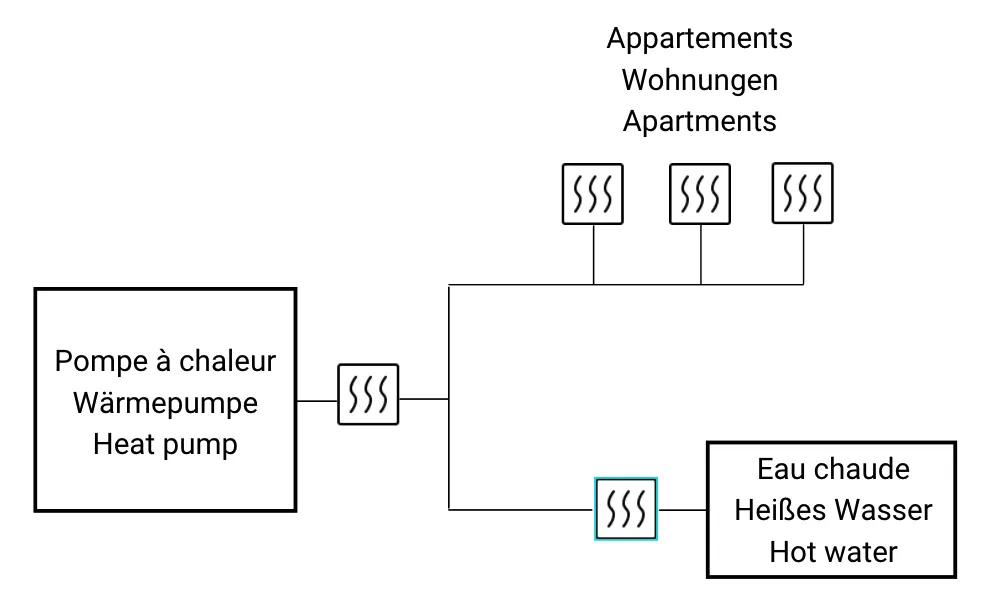
This is the correct scheme as recommended by DIFEE.
In this way:
- Apartment heating costs are allocated to each occupant in proportion to the consumption measured by their individual heating meter.
- Domestic hot water production costs are measured by the meter installed on the water heater connection, then distributed among the occupants based on their hot water consumption measured by their individual hot water meter.
- Common area heating costs are determined by taking the difference between the main meter and the sum of the other meters, then distributed among the occupants in proportion to the surface area of their apartment.
Partial thermal metering
When certain meters are omitted, estimates become necessary. For example, with only one meter per apartment, not all consumption is directly measured.
Consequences for allocation:
- Heating costs for common areas must be estimated.
- Domestic hot water production costs must be estimated.
If the main meter at the boiler output is omitted, it is strongly recommended to install at least one meter dedicated to domestic hot water production.
In the absence of this meter, the standard estimate consists of allocating 25% of the total costs to domestic hot water production.
Electricity meter connection
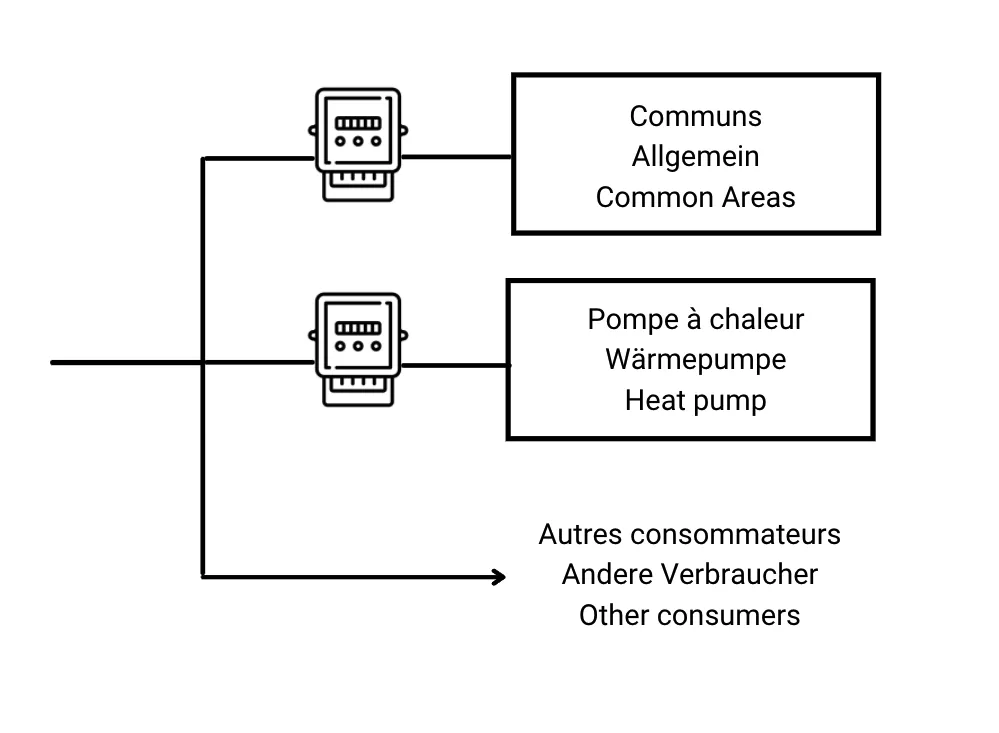
When heating is provided by an electrically powered heat pump (PAC), it is recommended to install a dedicated electricity meter for the heat pump and a meter for common areas. This distinction makes it possible to correctly allocate energy costs related to heating and those related to common area consumption.
Communication via M-Bus
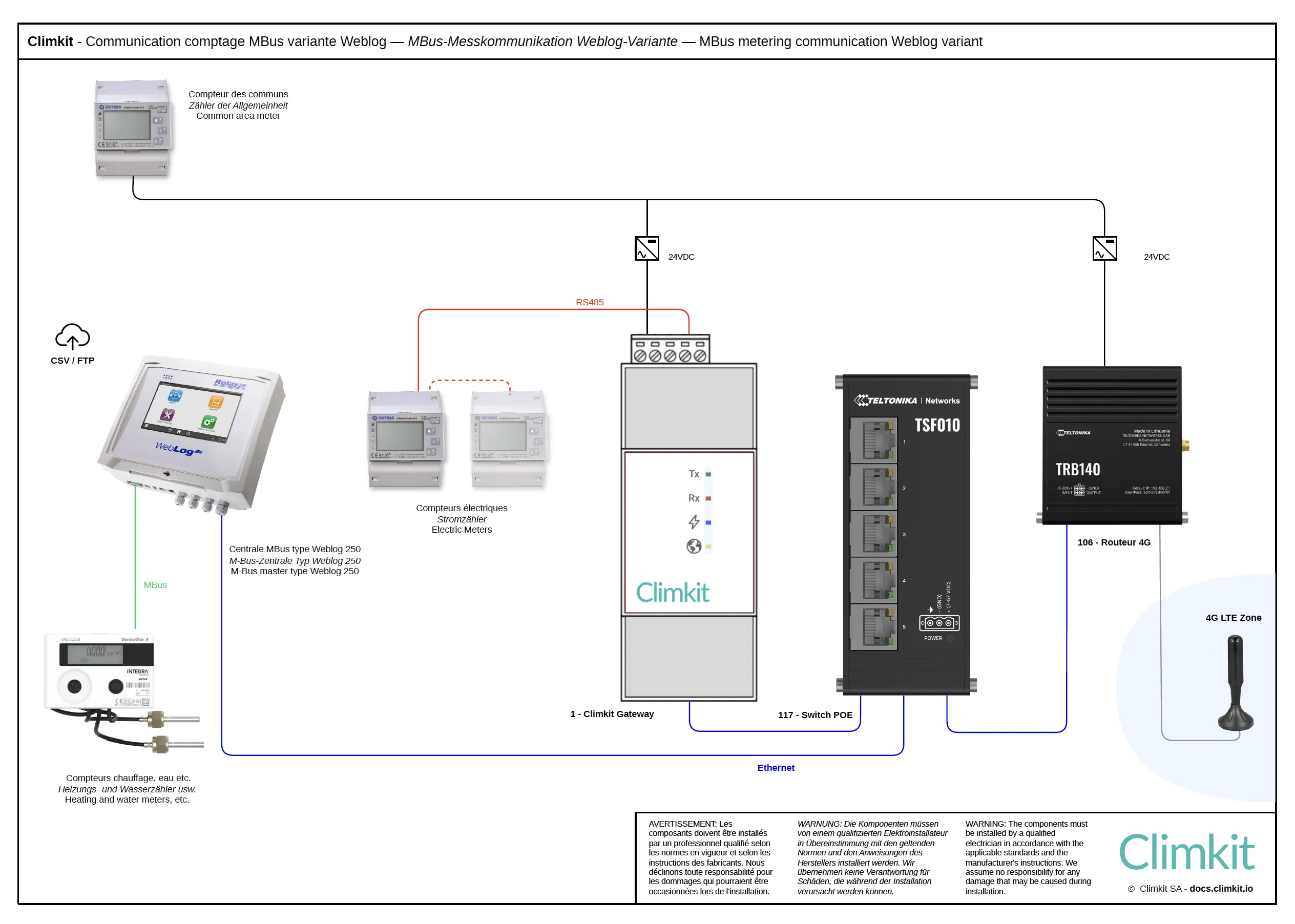
The meters are connected via M-Bus and then connected to the Climkit Gateway using an M-Bus/RS485 converter.
M-Bus (Meter-Bus) is a European communication standard specially designed for remote reading of energy and water meters. This protocol allows multiple meters (up to 250) to be connected to the same two-wire bus, in line or star topology, considerably simplifying wiring. The cable used must be shielded U72 type.
Variant with Weblog 250
When an M-Bus data logger such as Weblog 250 is already planned, it can be connected to the 4G Router via Ethernet to schedule an automatic daily transfer of meter readings in CSV format via FTP to the Climkit platform. This variant avoids the installation of an M-Bus/RS485 converter. The Weblog unit is generally supplied by the heating or plumbing installer.
Heating meter
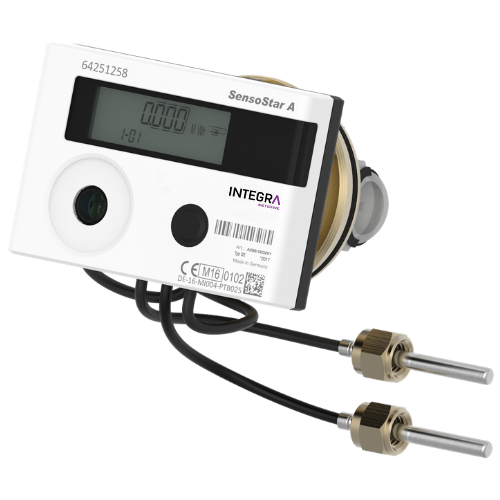
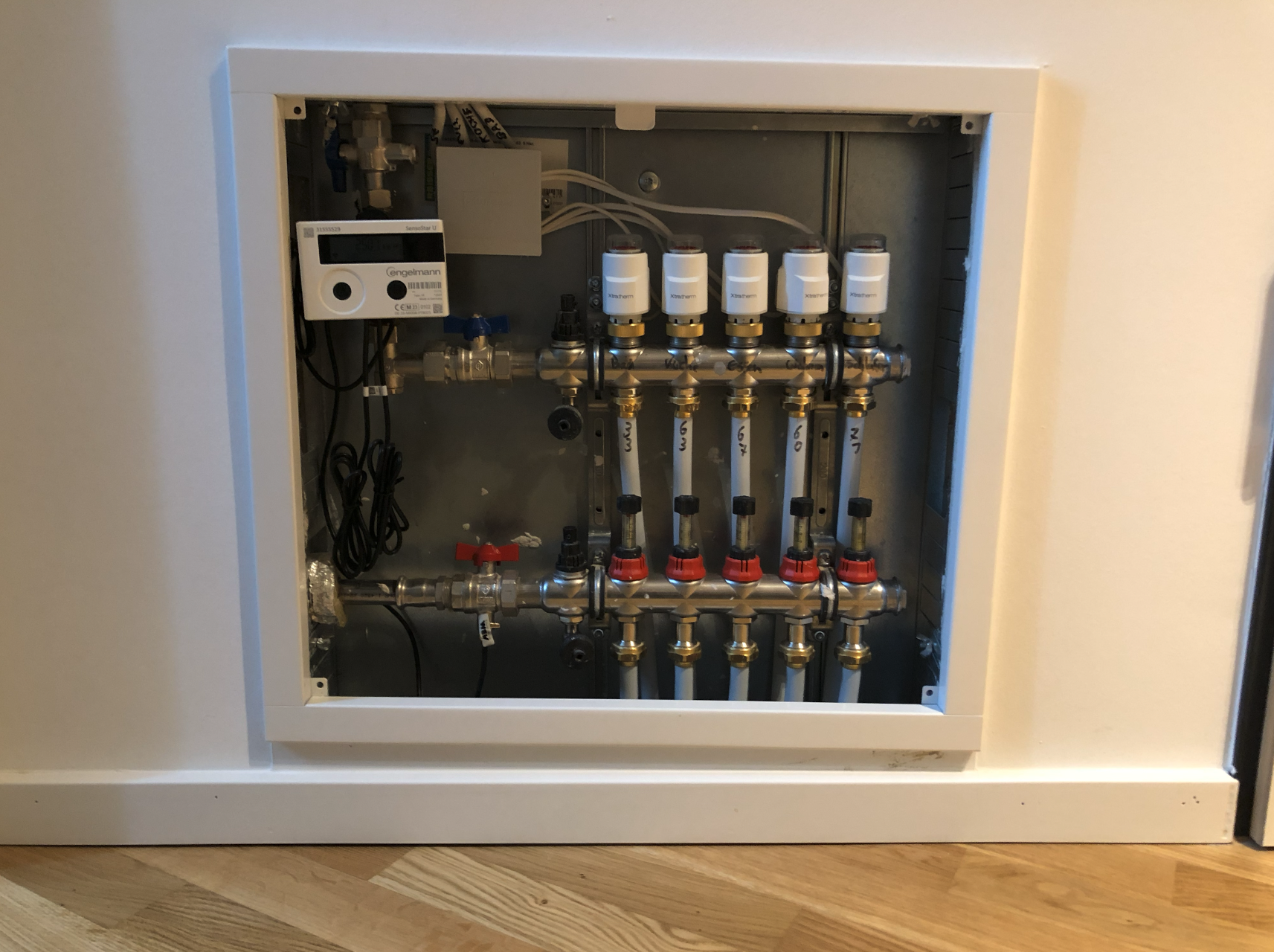
Thermal meters are installed directly on the closed heating circuit pipe. They measure the flow as well as the inlet and outlet temperatures of the circuit, which they then convert into energy (kWh).
Meters are generally supplied and installed by a heating installer.
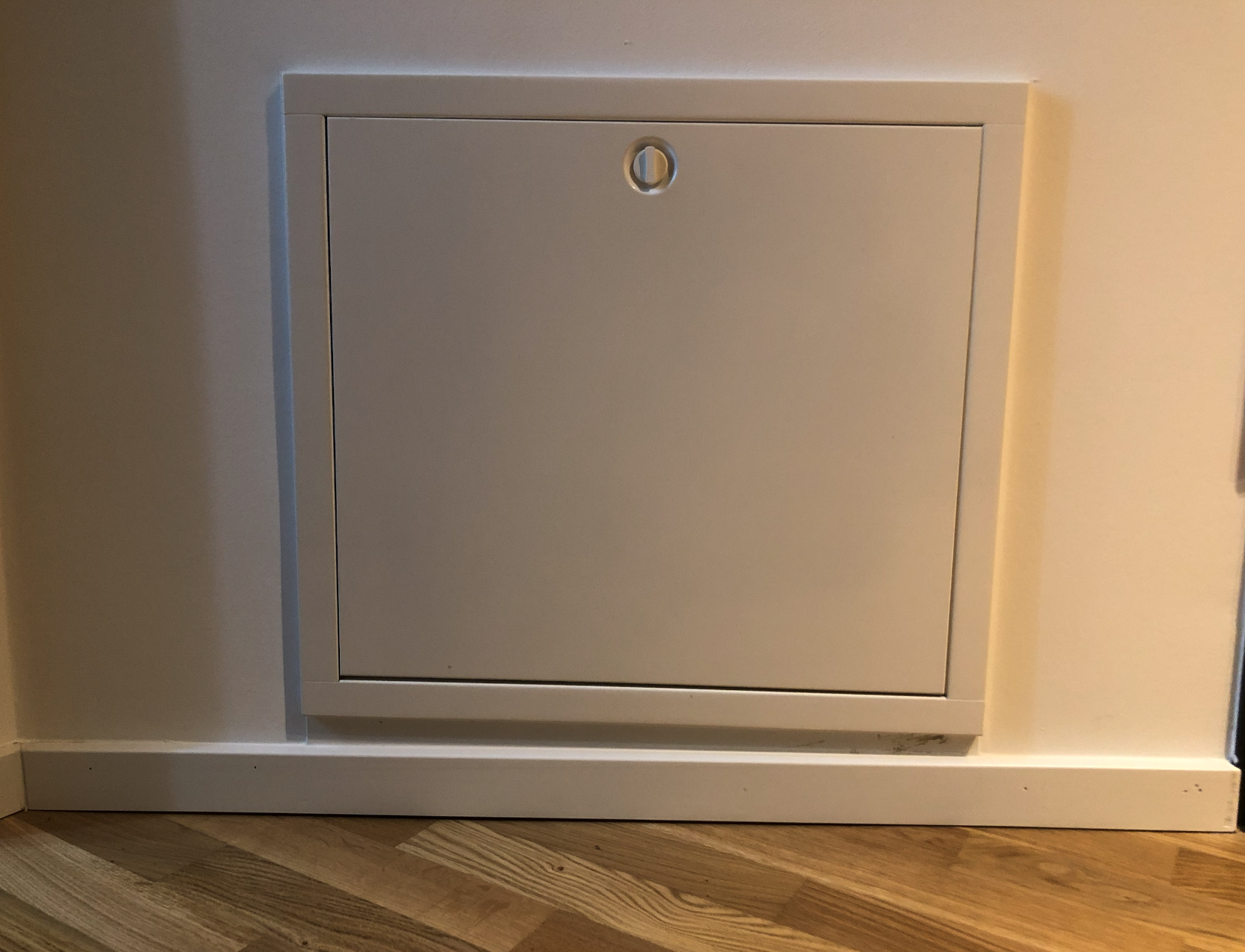
It is strongly recommended to position the underfloor heating manifold and the heating meter in an access hatch located at the apartment entrance, rather than at the back of a piece of furniture.
This configuration greatly facilitates access to the meter for maintenance.
Hot water and cold water meter
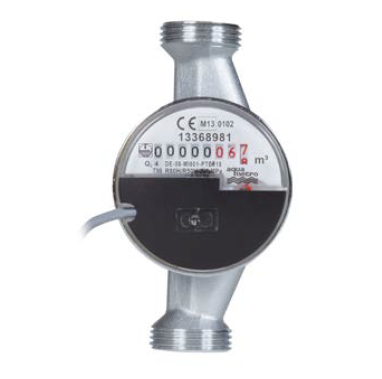
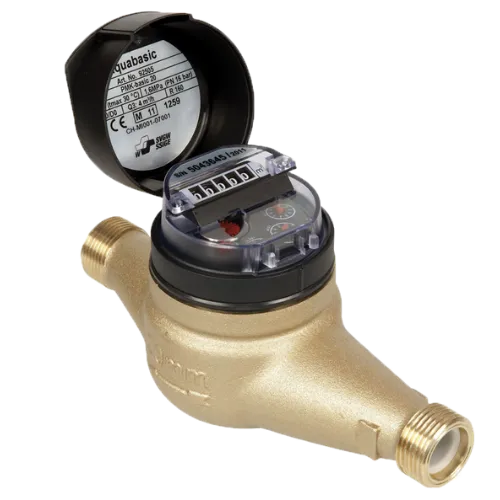
Water meters are installed directly on the pipe and measure the flow (m³) circulating through it.
Domestic hot water (DHW) and cold water meters are the same devices but differ in the flow they measure.
Climkit offer
The standard Climkit offer includes the elements necessary for system operation: hardware equipment (except meters), software features, as well as commissioning services.
All hardware is supplied preconfigured to simplify installation and ensure proper meter communication.
- Equipment:
- LAN router or 4G Router
- Climkit Gateway
- M-Bus / RS485 converter
- Software features:
- Reading and logging of heating and water meters
- Commissioning services:
- Integration of meters into the platform based on commissioning protocols provided by the heating and plumbing installer
- Technical coordination and verification of meter reading
- Administrative setup
All products are ordered directly from Climkit.
In most cases, the installation can be carried out by the installer without on-site intervention by a Climkit technician.
Telephone support is available if needed during technical setup.
Details of equipment supplied by Climkit
4G Router
An internet connection is essential for the system to operate. If no connection is available, Climkit can provide it via a 4G Router equipped with an active multi-operator SIM card.
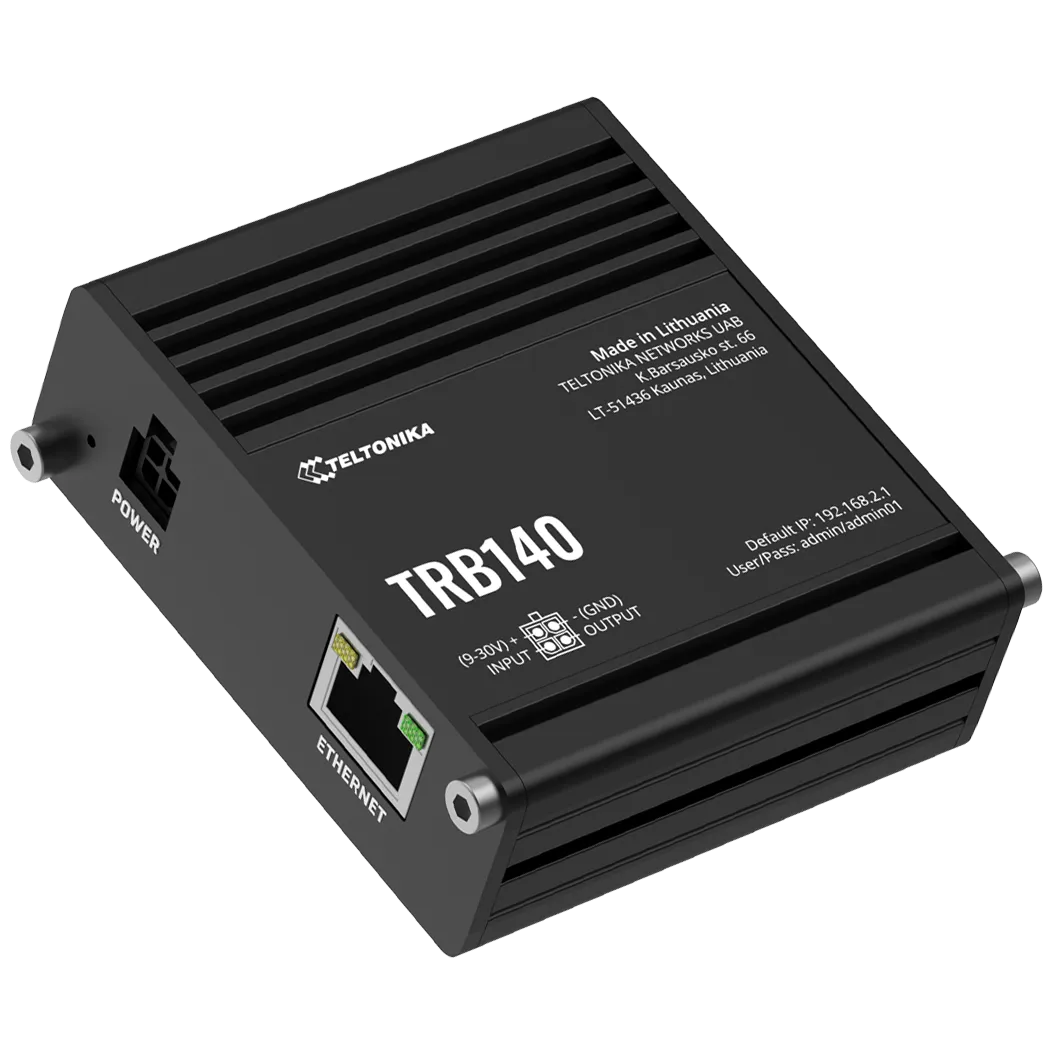
Using the Climkit TRB140 4G router offers several advantages:
- Simplified installation: the router is easily installed inside the electrical panel, directly on the DIN rail
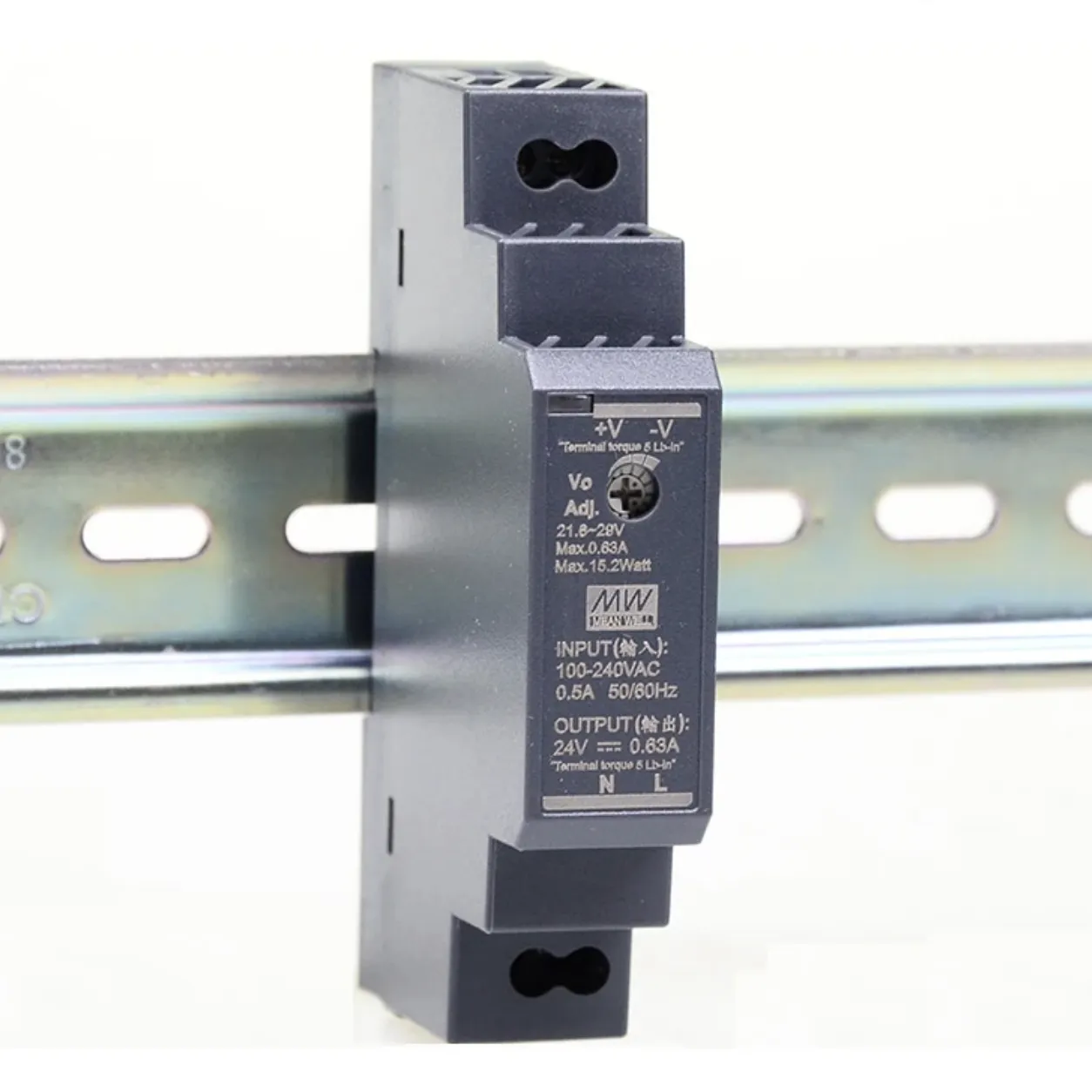
- Complete delivery: supplied with its DIN rail mount and 24V DC power supply
- Ready to use: delivered preconfigured with an activated SIM card
- Cost-effective 4G subscription: low-cost internet connection
Climkit Gateway
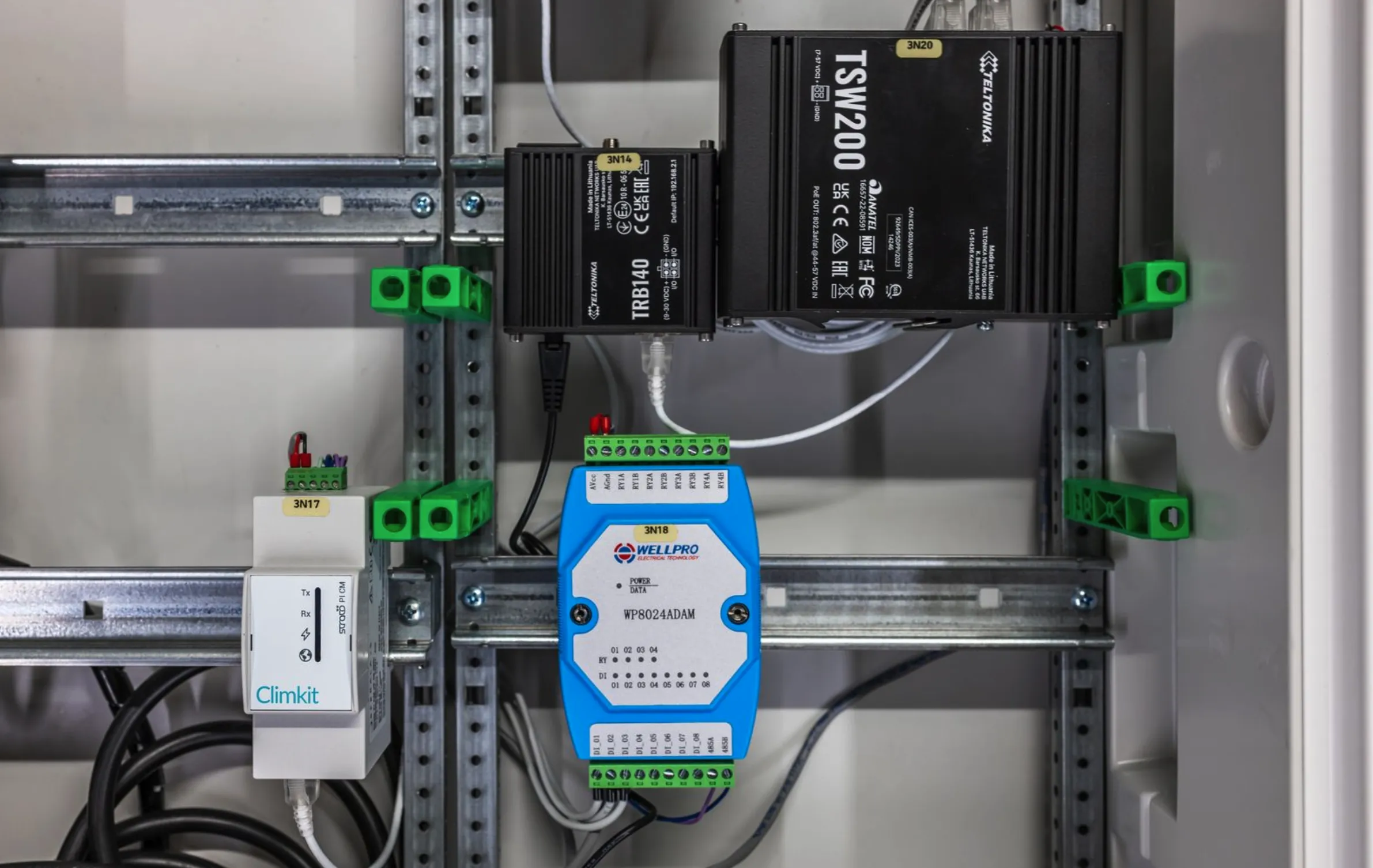
The Climkit Gateway reads meters connected to its RS485 port via the Modbus protocol and transmits the readings to the Climkit platform over the internet.
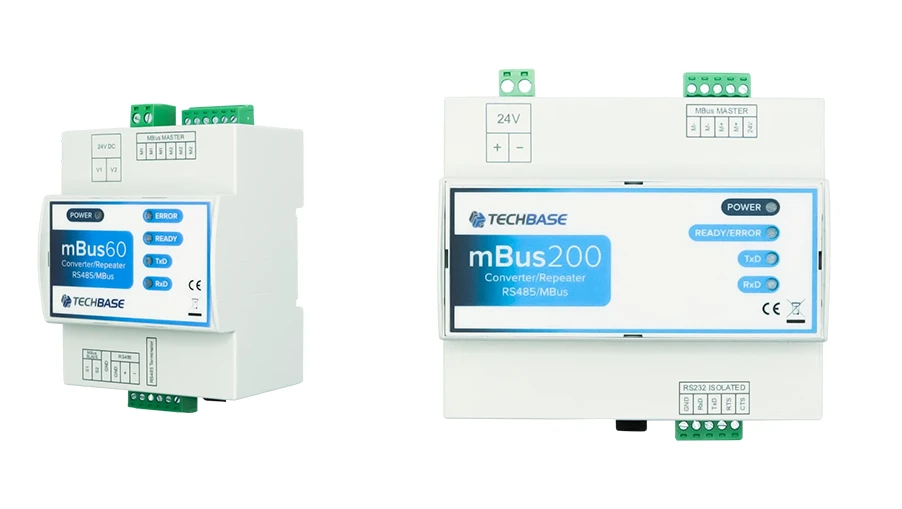
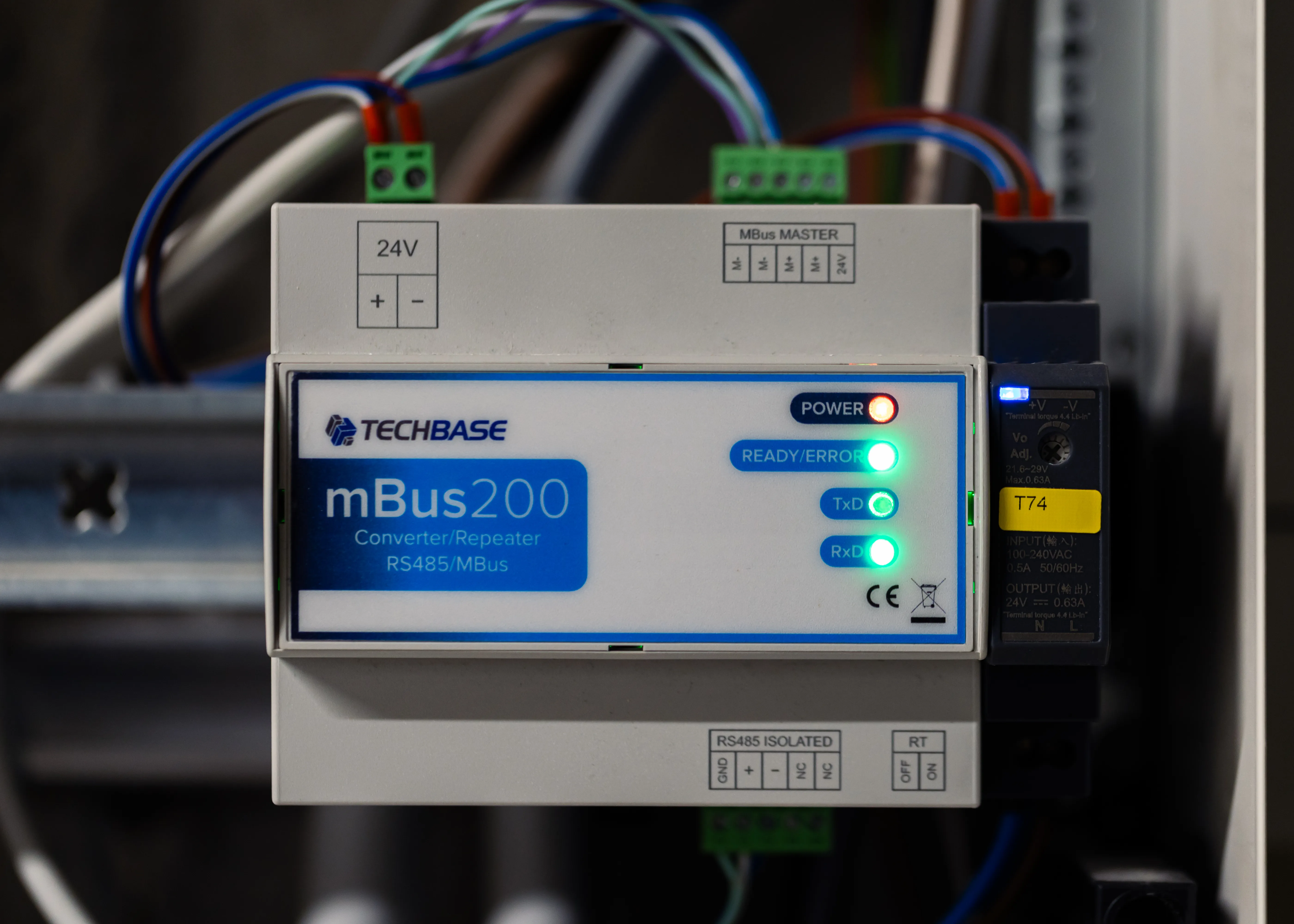
M-Bus-RS485 Converter
The M-Bus-RS485 converter allows M-Bus meters to be connected to the RS485 port of the Climkit Gateway.
It is installed on the same RS485 bus as the electricity meters and comes with a 24V DC DIN rail power supply.
It is available in 2 models depending on the number of connected M-Bus meters:
- MBus60 for up to 60 meters; width: 4 DIN modules
- MBus200 for up to 200 meters; width: 8 DIN modules
Multiple converters can be connected to the same Gateway.